5
PRODUCT FUNCTIONALITY
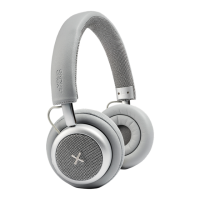
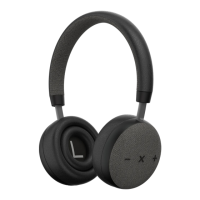
Here follows a description of all the products features. Please use the Overview in the beginning of
this user manual to locate them on the TOUCHit S (page 4).
1. Double doughnut design
• The double doughnut ear cushions ensure both comfort and sound quality by directing sound at
you and encapsulates the whole sound without being uncomfortable to wear for a longer time.
2. Active Noise Cancelation (ANC)
• Press the Active noise cancellation button to activate ANC
• With ANC activated you can minimize background noise to further enjoy your music
3. 3.5mm AUX
• 3.5 mm AUX jack connection to connect the headset to a device without Bluetooth
• In-line use is possible when the battery is empty
4. Headband
• Adjustable headband to ensure a comfortable t for everyone
5. Volume up/down
• Volume buttons used to adjust the volume of TOUCHit S
• Also used to skip to next or previous song
6. X Button
• Master function button
• Used to power TOUCHit S on and off
• Plays and pause music when the headset is in Bluetooth mode
• Accepts and rejects incoming calls
7. Power indicator
• Indicates when TOUCHit S is turned on and off
• Flashes when TOCHit is in Bluetooth pairing mode
8. Charging port
• Charging port for the included USB charging cable


 To Next Page