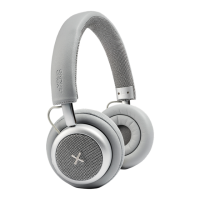
6
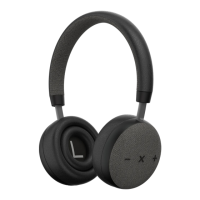
How to pair TOUCHit S and your device
1. For rst use: Long press the X Button for 10 seconds. After the rst 5 seconds, you will hear the
ON sound. Keep pressing the button for another 5 seconds to turn on pairing mode, indicated by
ashing the power indicator red and blue
2. Switch on Bluetooth on your device
3. Choose “TOUCHit S” under Bluetooth settings on your device. Your headphones are now con-
nected with your device
4. Start playing music on your device
5. Long press the X button to turn off your TOUCHit S headphones
6. TOUCHit S will automatically pair with the last connected device
To connect to a new device make sure that the previous connected device is disconnected otherwise
connecting opportunity won’t appear on the new device.
THE DEVICE
How to use the Active Noise Cancellation function
1. Push the ANC button on the left ear cup turning on the green LED light and you can enjoy the
headphones in Active Noise Cancellation mode
2. When you don’t need the Active Noise Cancellation function, turn the ANC function of by pus-
hing the ANC button
3. Active Noice Cancellation can be activated and deactivated even when the TOUCHit S Head-
phone is turned off. The Active Noise Cancellation will also remain on even when you turn the
TOUCHit S Headphone off.
Operation instructions for use after first pairing
1. After rst time pairing your TOUCHit S headphones and
2. Bluetooth device will automatically reconnect, the LED light will blink blue once TOUCHit S is
successfully paired.
3. Turn the headphones on by holding down the X button until you hear the ON sound
4. Long press X button to turn off TOUCHit S
Note: If the pairing is not successful, please turn the headphone off and back on and retry pairing.
Operation instructions for in-line use
Use the 3.5mm audio cable when you do not wish to use Bluetooth connection or when the battery
needs recharging. In-line use is possible when the battery is empty.
For in-line use:
• Connect the 3.5mm plug into your TOUCHit S Headphone 3.5mm jack, then connect the other
3.5mm plug to your device 3.5mm jack
• Adjust the volume using the controls on your mobile phone
• Enjoy the music


 To Next Page