ashing red and blue (it takes up to 30
seconds for the speakers to connect).
When the speakers are connected the
indicator light will again ash blue.
4. The speakers will now be connected,
and speaker A will only play right side
sound and speaker B will only play left
side sound.
5. The speaker connected to your
Bluetooth device will always play left
side sound.
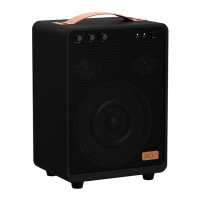
Note: When connecting two WOOFit
JAM speakers, you may experience
connectivity problems that cause bad
sound. If this problem occurs, turn off
the speaker connected to your Bluetooth
device (the speaker playing left side
UK
12
sound). Turn the speaker back on, and the
problem should be xed.
Back to playing on one speaker
When two WOOFit JAM speakers have
been connected, one speaker is playing
right side sound and one speaker is
playing left side sound. Therefore, it
is sometimes necessary to reset the
speaker, if you want to go back to playing
on only one speaker.
Reset WOOFit JAM:
Press and hold “PREV Button” and
“NEXT Button” at the same time until the
speaker turn off.



 To Next Page