INTEGRA/-S/-G/-GS User Manual INSTALLATION
SAF Tehnika JSC
Integra-S/Integra-GS 6-13GHz* FODU features
a twisted polarization flange and the resulting
signal polarization is determined by Interface
on antenna/OMT. To change signal
polarization, please rotate only the antenna
interface, as the radio always remains in a
vertical position.
Example of vertical polarization
interconnection.
Example of horizontal polarization interconnection.
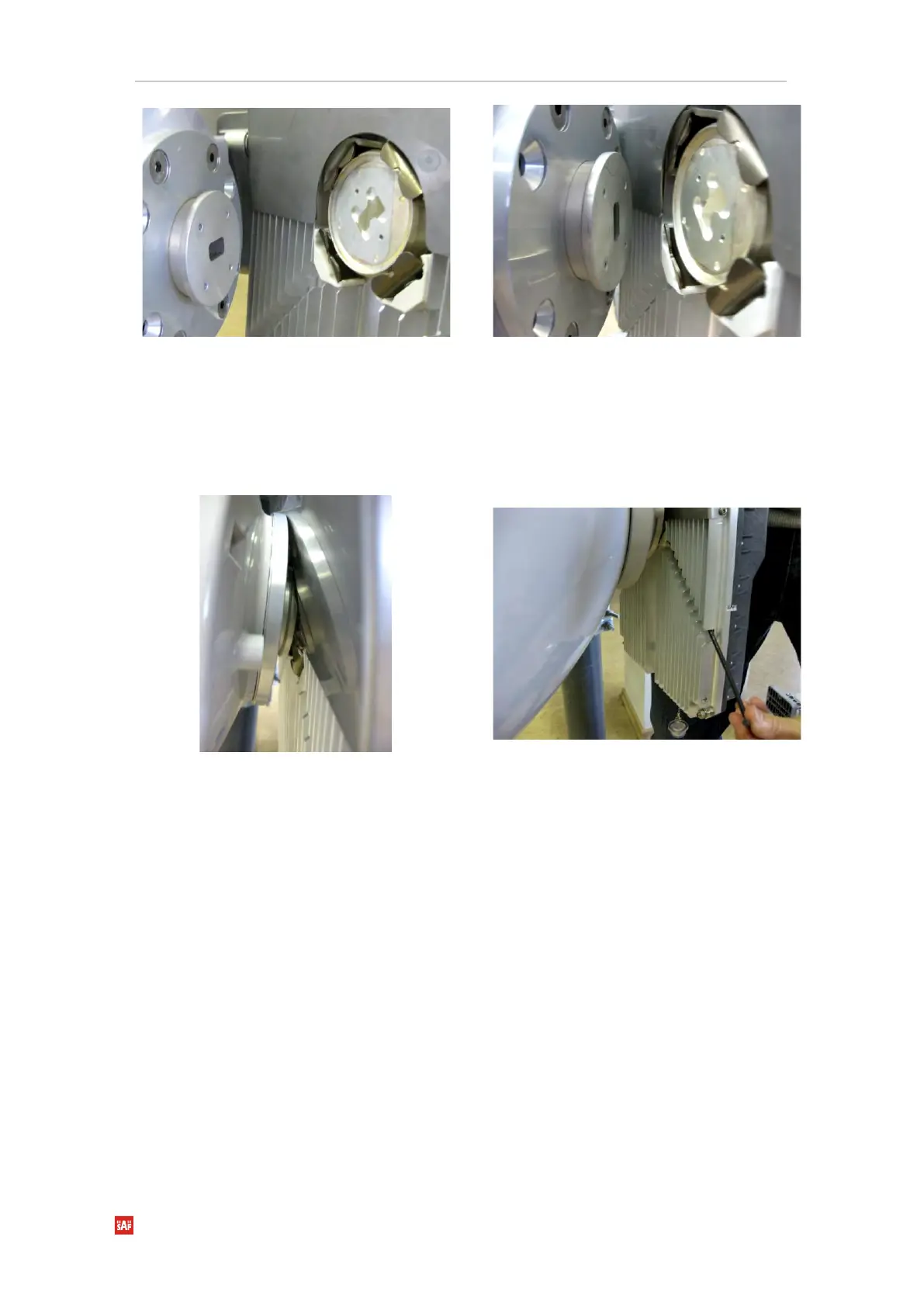
Put Integra-S/Integra-GS on the antenna
adapter flange by hooking a half-turn loosened
clamp at the top and leaving the completely
loosened clamp at the bottom. Make sure the
O-ring is in place and the adapter flange fits
into the Integra-S/Integra-GS transition flange
socket.
Note! The protective sticker should be removed
before attaching the Integra-S/Integra-GS FODU
to the antenna.
Tighten bottom fixation clamps.


 To Next Page
 Loading...
