INTEGRA/-S/-G/-GS User Manual WEB GUI
SAF Tehnika JSC
Ethernet management connection configuration
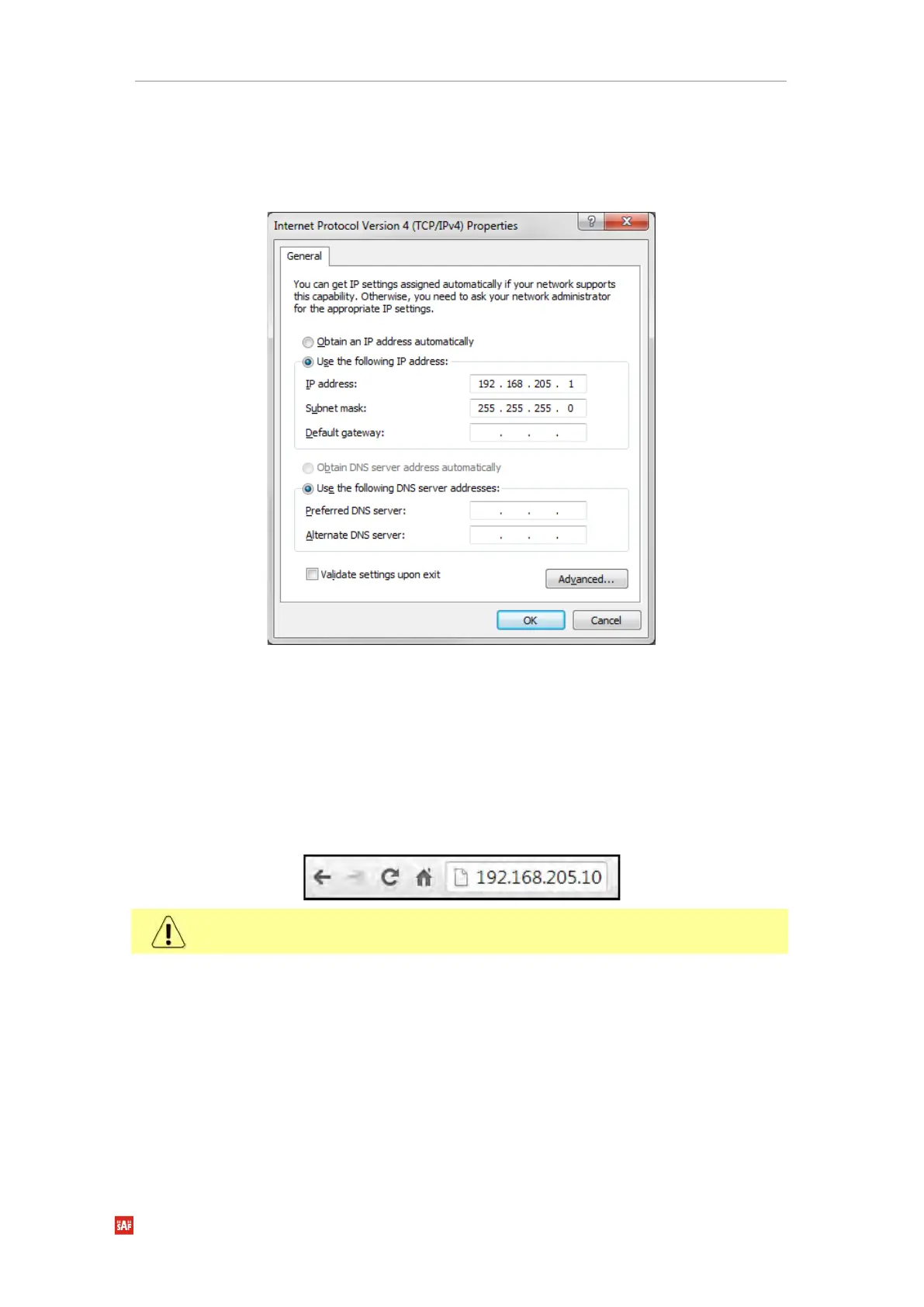
Before proceeding with the initial link setup in the Web GUI, you must adjust the IPv4
settings of your LAN adapter to 192.168.205.0 subnet. The IP address should be something
other than the default low/high side IP addresses (192.168.205.10/192.168.205.11).
After applying these settings, you are ready to connect to the Web GUI or establish a
SSH/Telnet connection. Refer to Chapter 4: COMMAND LINE INTERFACE for the details on
how to connect to other CLI interfaces (serial, SSH, Telnet).
Accessing Web GUI
1. Launch your browser and in the address field enter the IP address of a FODU. Default IP
addresses are as follows:
• 192.168.205.10 for low side FODU (P/N D*******L*)
• 192.168.205.11 for high side FODU (P/N D*******H*)
For secure connection use https:// prefix.
2. Press “Enter” key.
3. The login screen will appear.
4. Enter username and password. Default credentials are as follows:
• Username: admin
• Password: changeme


 To Next Page
 Loading...
