INTEGRA/-S/-G/-GS User Manual WEB GUI
SAF Tehnika JSC
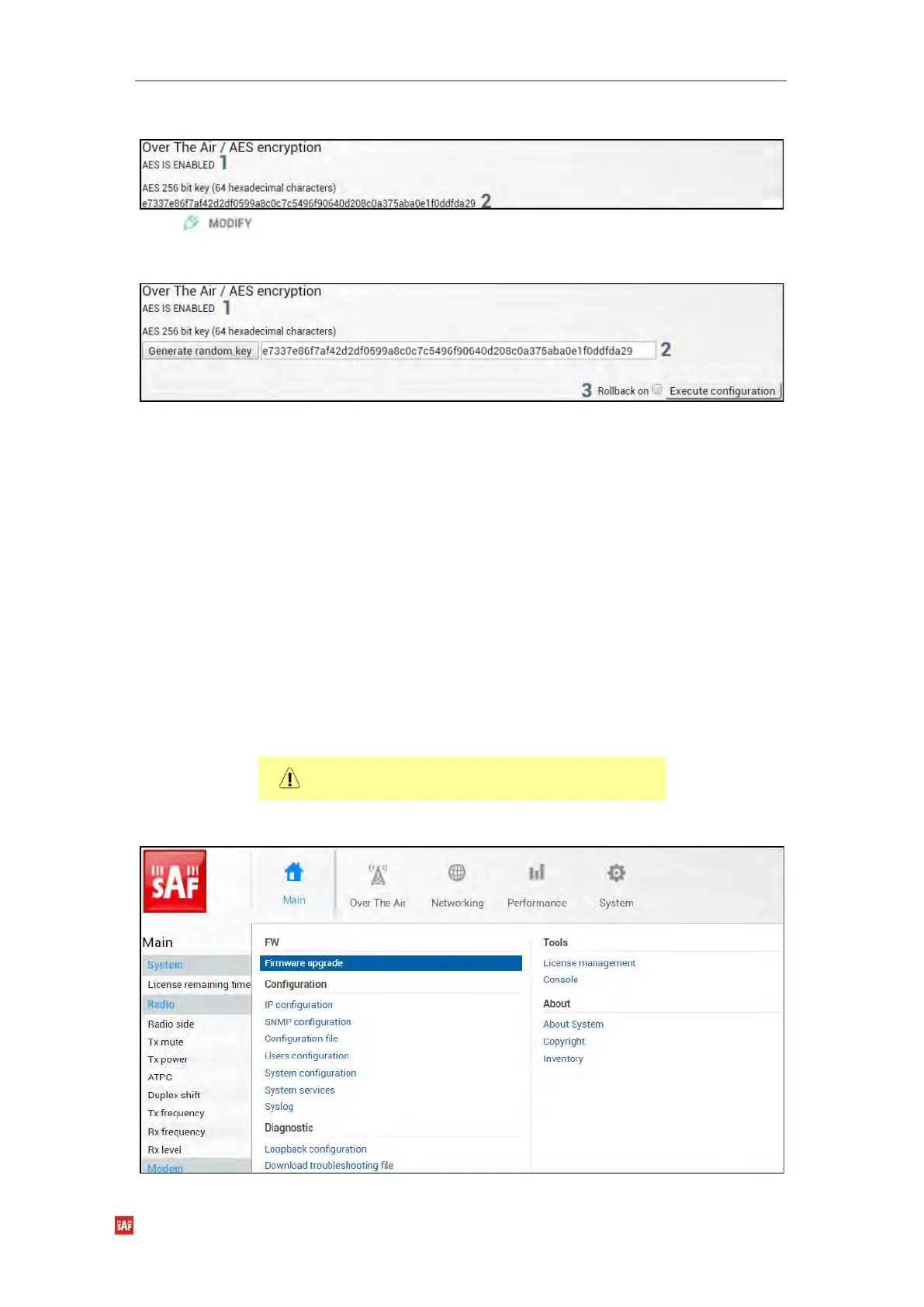
Status mode
Press button.
Modify mode
1) Indicates current AES status – enabled or disabled.
2) AES 256 bit key (64 hexadecimal characters) – Indicates AES key used. The key
should be exactly 64 hexadecimal characters long. A dialog window will not allow
more than 64 characters.
3) By pressing „Execute configuration”, changes made to the corresponding section
apply only to the local side Integra/Integra-S/Integra-G/Integra-GS. If „Rollback on” is
selected, the configuration will be reverted in case erroneous configuration changes
are applied.
Activation of AES for Integra/Integra-S/Integra-G/Integra-GS FODU
1) Make sure the firmware version is V2.5.13 or later.
0) If required perform the firmware upgrade.
Skip this step if the firmware version is V2.5.13 or
later.
a) Go to “System→FW→Firmware upgrade” on the remote side of the link.


 To Next Page
 Loading...
