INTEGRA/-S/-G/-GS User Manual WEB GUI
SAF Tehnika JSC
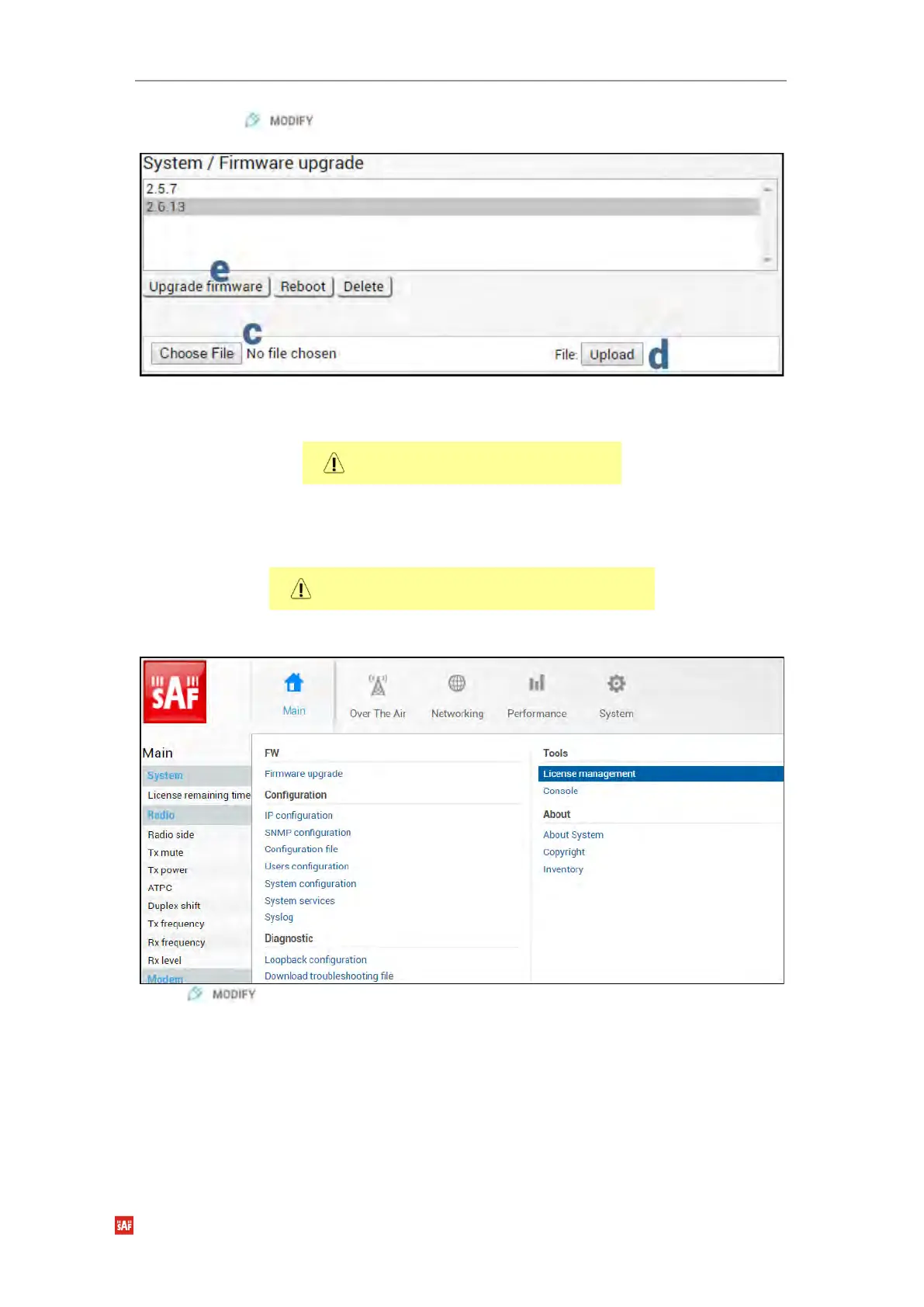
b) Press button.
c) Locate *.bin firmware file on your hard disk drive.
d) Upload selected *.bin firmware file.
e) Select the uploaded *.bin firmware file from the list and press “Upgrade firmware”.
The remote side should be upgraded
first.
f) Repeat steps a)-e) for the local side of the link.
2) Upload and activate license key enabling AES functionality
Skip this step if the AES license is already
uploaded.
a) Go to “System→Tools→License management” on the remote side of the link.
Press button.



 To Next Page