INTEGRA/-S/-G/-GS User Manual WEB GUI
SAF Tehnika JSC
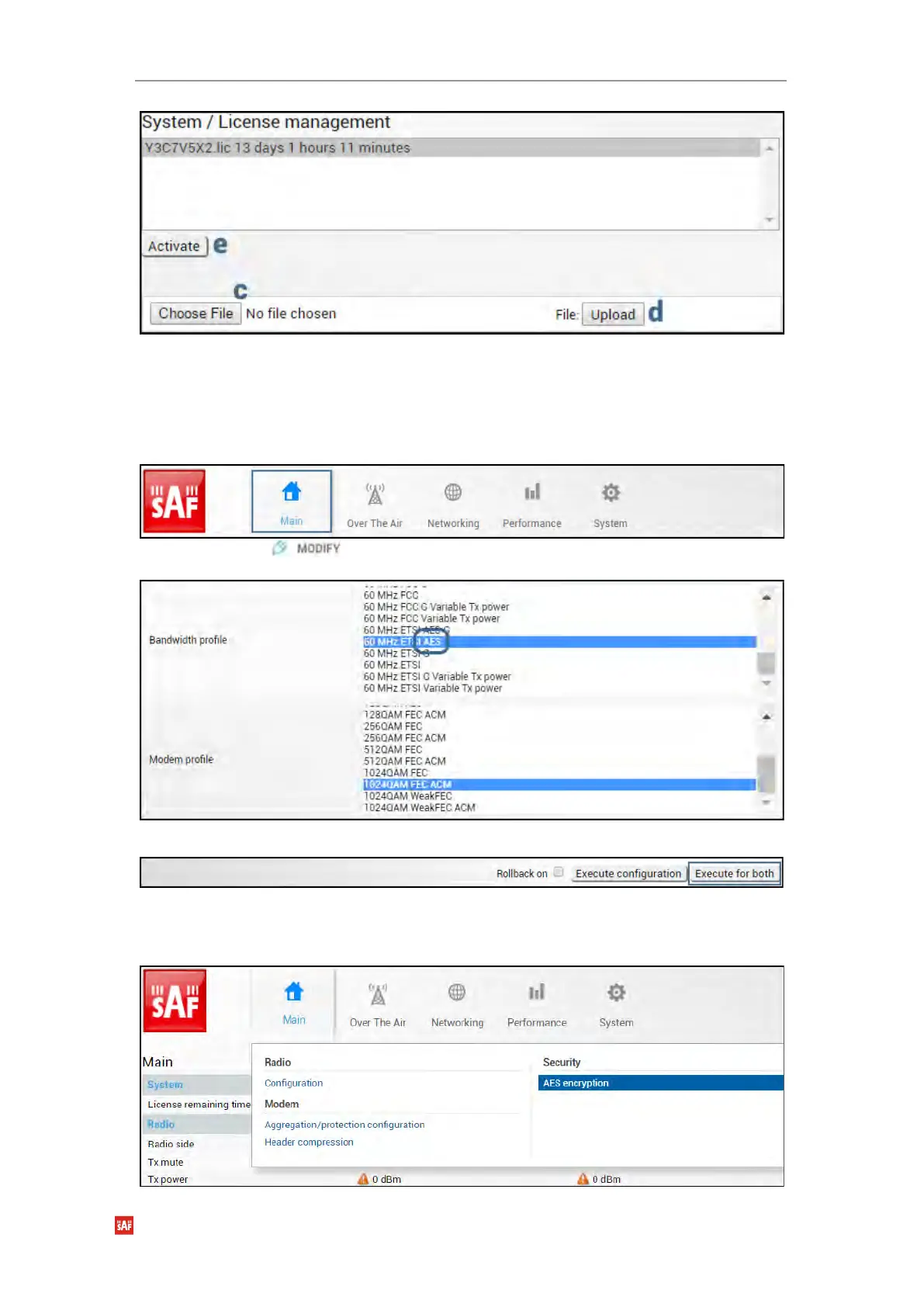
b) Locate *.lic license file on your hard disk drive.
c) Upload selected *.lic license file.
d) Select the uploaded *.lic license file from the list and press “Activate”.
e) Repeat a)-e) for the local side of the link.
3) Set bandwidth with AES
a) Go to “Main” page.
b) Press button.
c) Select the required bandwidth with AES and required modulation.
d) Press “Execute for both” button.
4) Apply AES 256-bit key
a) Go to “Over The Air→Security→AES encryption” on the remote side of the link.



 To Next Page