INTEGRA/-S/-G/-GS User Manual WEB GUI
SAF Tehnika JSC
b) Press button.
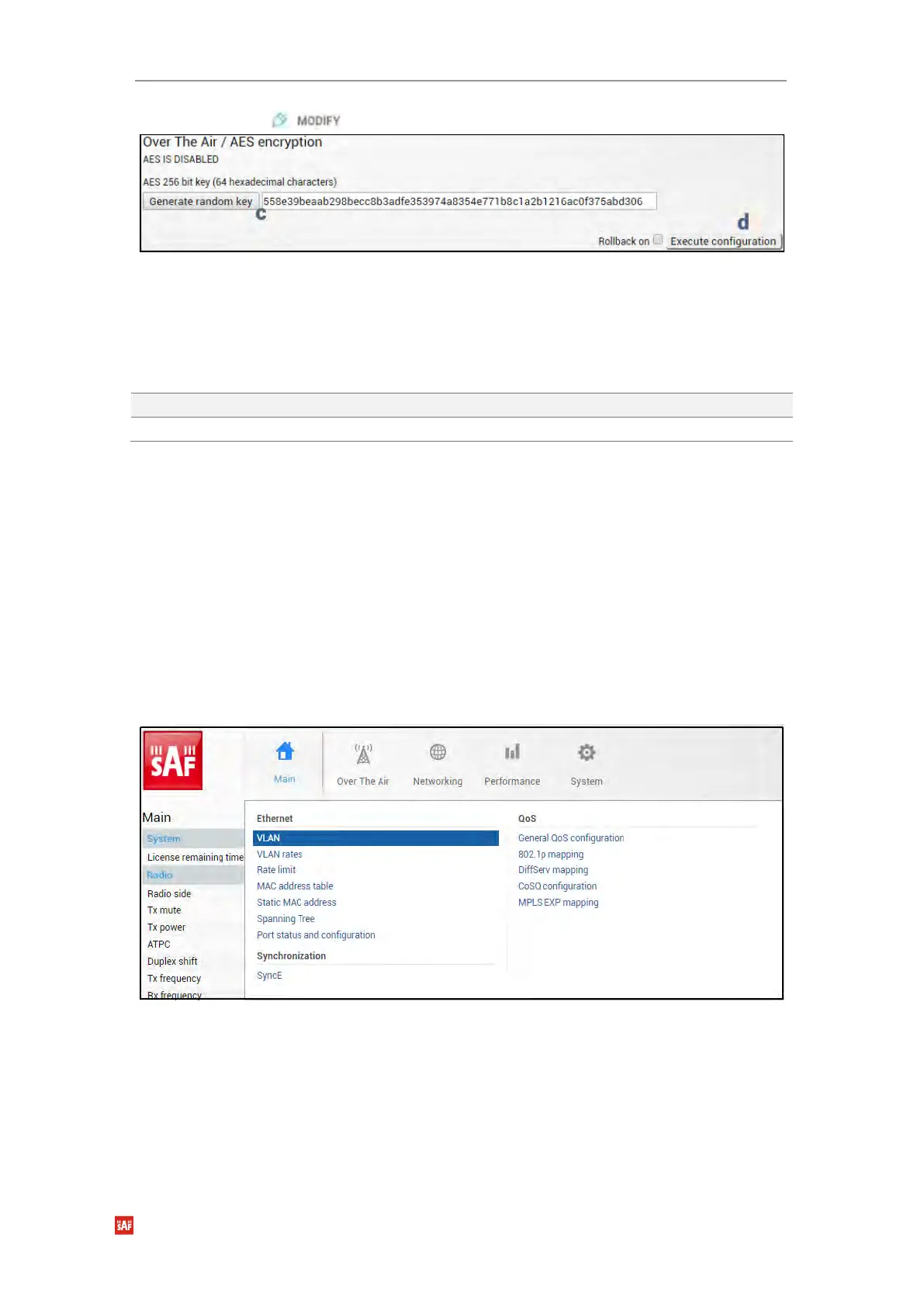
c) Enter a 64-symbol key consisting of hexadecimal values (0-9, A-F) or press
“Generate random key” button.
d) Select and copy the generated key.
e) Press “Execute configuration” button.
f) Repeat steps a)-e) for the local side of the link using the same copied AES key.
CLI commands (Chapter 4: COMMAND LINE INTERFACE)
Use to set AES 256-bit key.
Use to show AES state and key.
Networking
Networking → Ethernet → VLAN
The VLAN configuration window provides the configuration of port-based Ethernet Virtual
Local Area Networks (VLANs), allowing up to 4094 different VLAN IDs. It is possible to set
VLAN IDs as tagged or untagged members on each LAN port.
To add a VLAN tag to untagged packets in the ingress direction, “Default VLAN” (2) should
be specified. By default, the “Default VLAN” value on all ports is VLAN ID 1.
An example below shows a sample configuration with VLAN IDs 100-300 configured as
tagged members on LAN2 and WAN ports (user traffic) and VLAN ID 500 as a tagged
member on LAN2 and WAN ports and untagged member on MNG port (management traffic).


 To Next Page
 Loading...
