INTEGRA/-S/-G/-GS User Manual WEB GUI
SAF Tehnika JSC
Modify mode
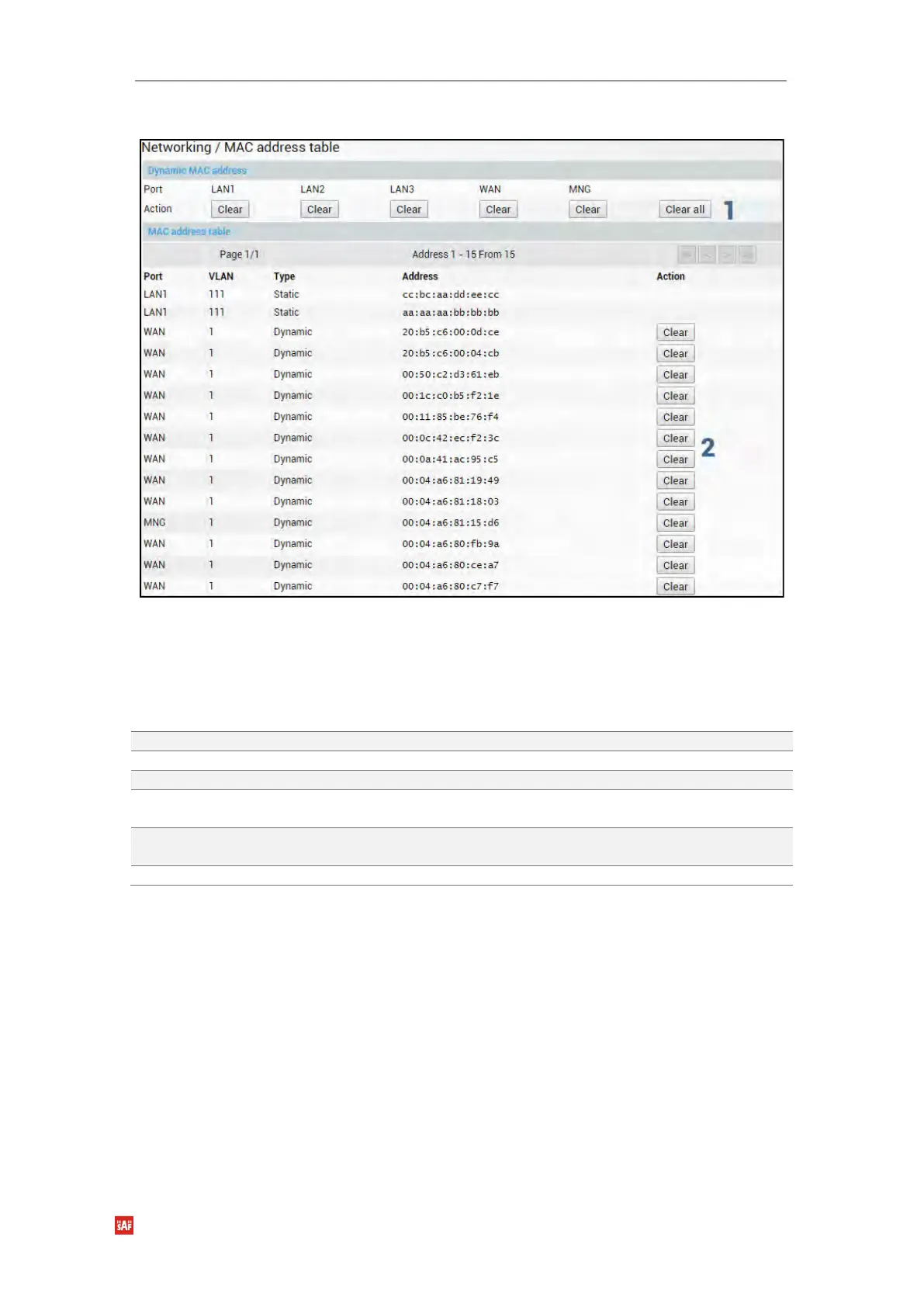
1) Use to clear the dynamic MAC address table on a particular port (“Clear”) or all ports
simultaneously (“Clear all”).
2) Shows list of MAC address entries (status mode); allows clearing specific MAC
address entries (modify mode).
CLI commands (Chapter 4: COMMAND LINE INTERFACE)
Use to show MAC table entries.
Use to show MAC table statistics.
network mac table clear vlan <vid>
Use to clear MAC table entries for a specific VLAN ID.
network mac table clear port
<port>
Use to clear MAC table entries for a specific port.
network mac table clear mac-
address <MAC>
Use to clear a dynamic MAC address for all VLAN IDs
and ports.
network mac table clear all
Use to clear the whole dynamic MAC address table.
Networking → Ethernet → Static MAC Address
Allows adding and editing static MAC address entries.


 To Next Page
 Loading...
