INTEGRA/-S/-G/-GS User Manual WEB GUI
SAF Tehnika JSC
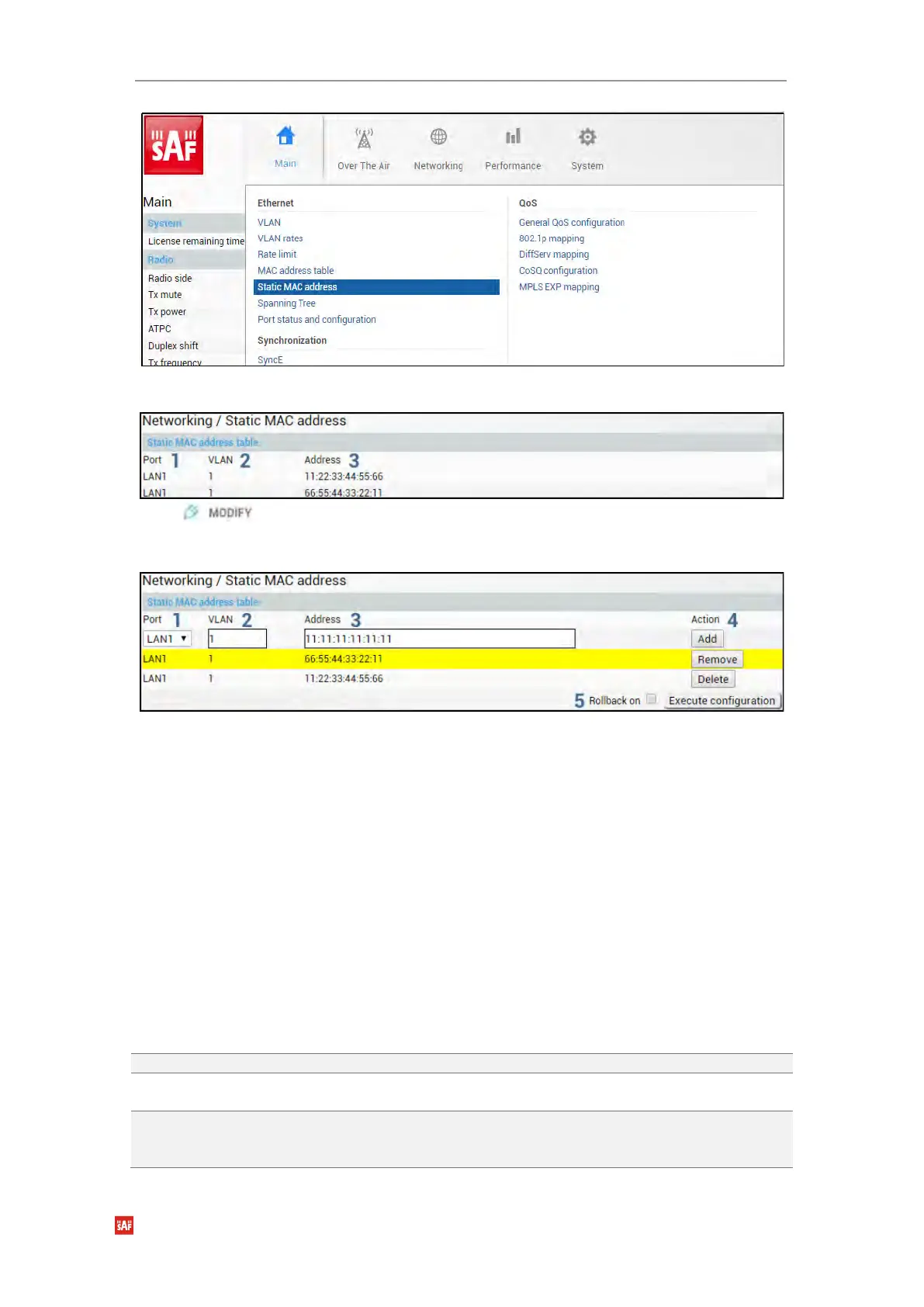
Status mode
Press button.
Modify mode
1) Port – Indicates ports of configured static MAC addresses (status mode); allows
specifying the port for static MAC address (modify mode).
2) VLAN – Indicates VLAN IDs of configured static MAC addresses (status mode);
allows specifying VLAN for static MAC address (modify mode).
3) Address – Indicates configured static MAC addresses (status mode); allows
specifying static MAC addresses (modify mode).
4) Action – Allows adding a new static MAC address (“Add”), removing temporarily
entered static MAC address (“Remove”), or deleting permanently entered static MAC
address (“Add”).
5) By pressing „Execute configuration”, changes made to the corresponding section
apply only to the local side Integra/Integra-S/Integra-G/Integra-GS. If „Rollback on” is
selected, the configuration will be reverted in case erroneous configuration changes
are applied.
CLI commands (Chapter 4: COMMAND LINE INTERFACE)
Use to show static MAC address table.
network mac static add mac-address
<MAC> vlan <vlan> port <port>
Use to add static MAC address for selected VLAN ID
and port.
network mac static delete mac-
address <MAC> vlan <vlan> port
<port>
Use to remove static MAC address from selected
VLAN ID and port.


 To Next Page
 Loading...
