INTEGRA/-S/-G/-GS User Manual WEB GUI
SAF Tehnika JSC
Polling failed – indicates last data polling failure;
Speed Grade – shows Ethernet speed on LAN1 port -
1000BASE-T(1G) or 100BASE-T(100M);
Port – current port used as a clock source;
State – clock status, "Locked" if SyncE operates normally;
State info – additional information
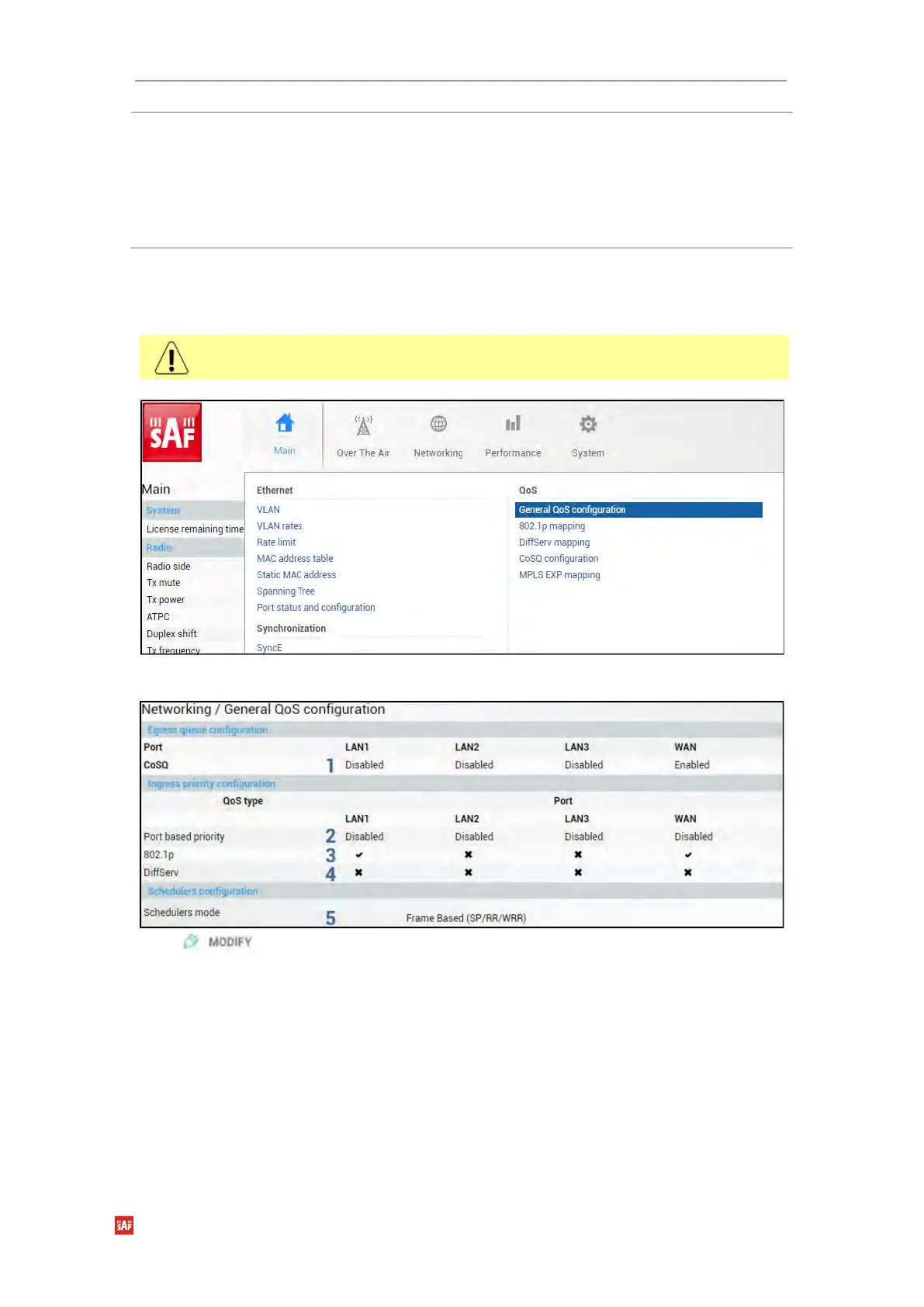
Networking → QoS → General QoS configuration
The General QoS configuration page allows defining QoS queueing rules.
Only one priority classification method (port/802.1p/DiffServ) can be enabled on a single
port.
Status mode
Press button.



 To Next Page