INTEGRA/-S/-G/-GS User Manual WEB GUI
SAF Tehnika JSC
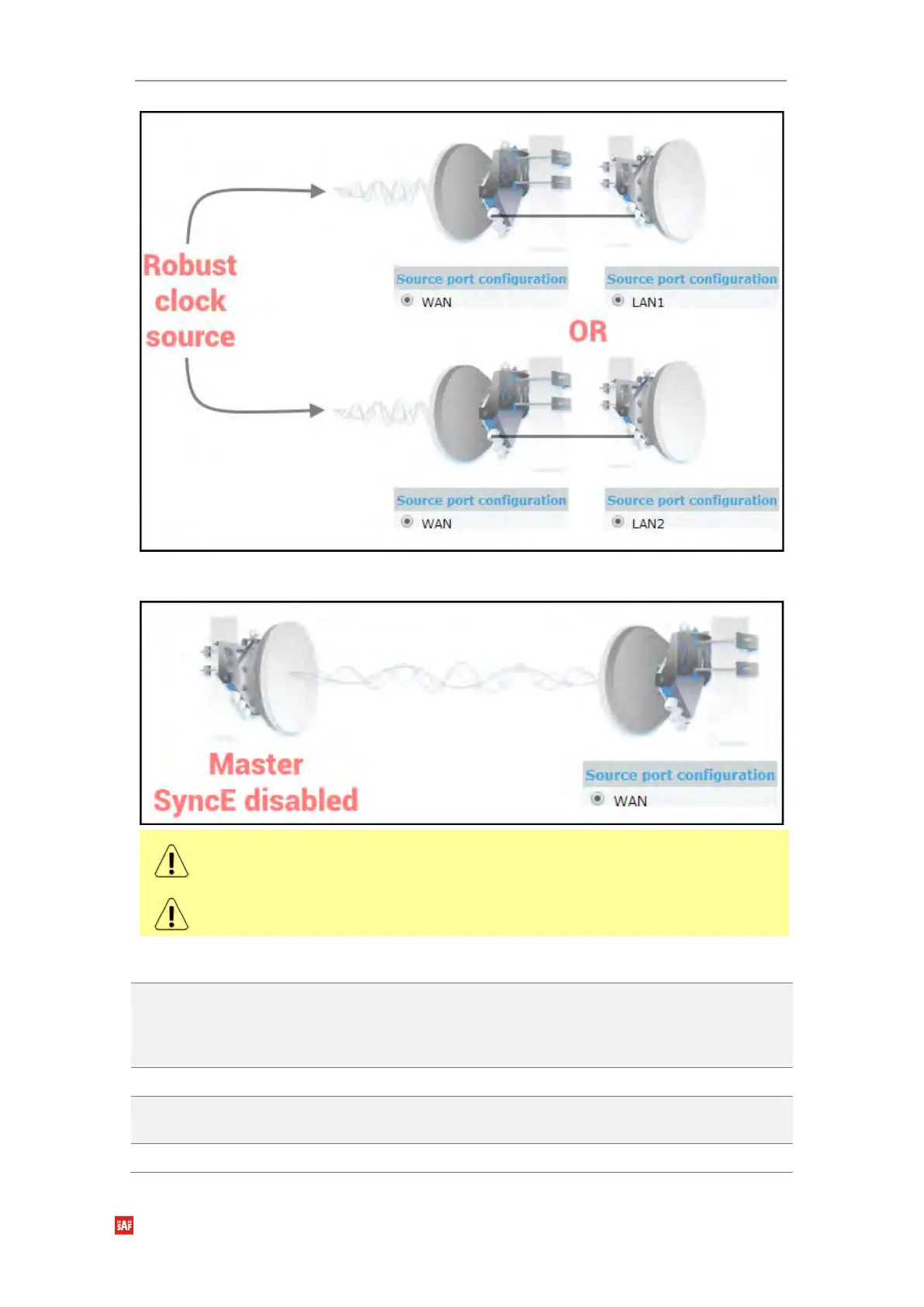
3) Integra/Integra-S/Integra-G/Integra-GS as a master clock source
Auto-negotiation will not function properly when the clock source ports on both
Integra/Integra-S/Integra-G/Integra-GS FODUs are pointing at each other (e.g. WAN-
WAN in a link or LAN-LAN in a back-to-back connection).
SyncE will function properly on LAN2 and LAN3 ports only with appropriate SFP modules.
CLI commands (Chapter 4: COMMAND LINE INTERFACE)
network sync enable
{LAN1|LAN2|WAN}
Use to enable SyncE on a port connected to a clock source.
The selected port will become “slave”, while other ports –
“master”. Auto-negotiation will not function properly between
two “slave” ports.
Use to disable SyncE on all ports.
'SyncE_Act' and 'SyncE_Prio' field nonzero values indicate
synchronous Ethernet activity.
Enabled – shows if SyncE is enabled;


 To Next Page
 Loading...
