INTEGRA/-S/-G/-GS User Manual WEB GUI
SAF Tehnika JSC
Modify mode
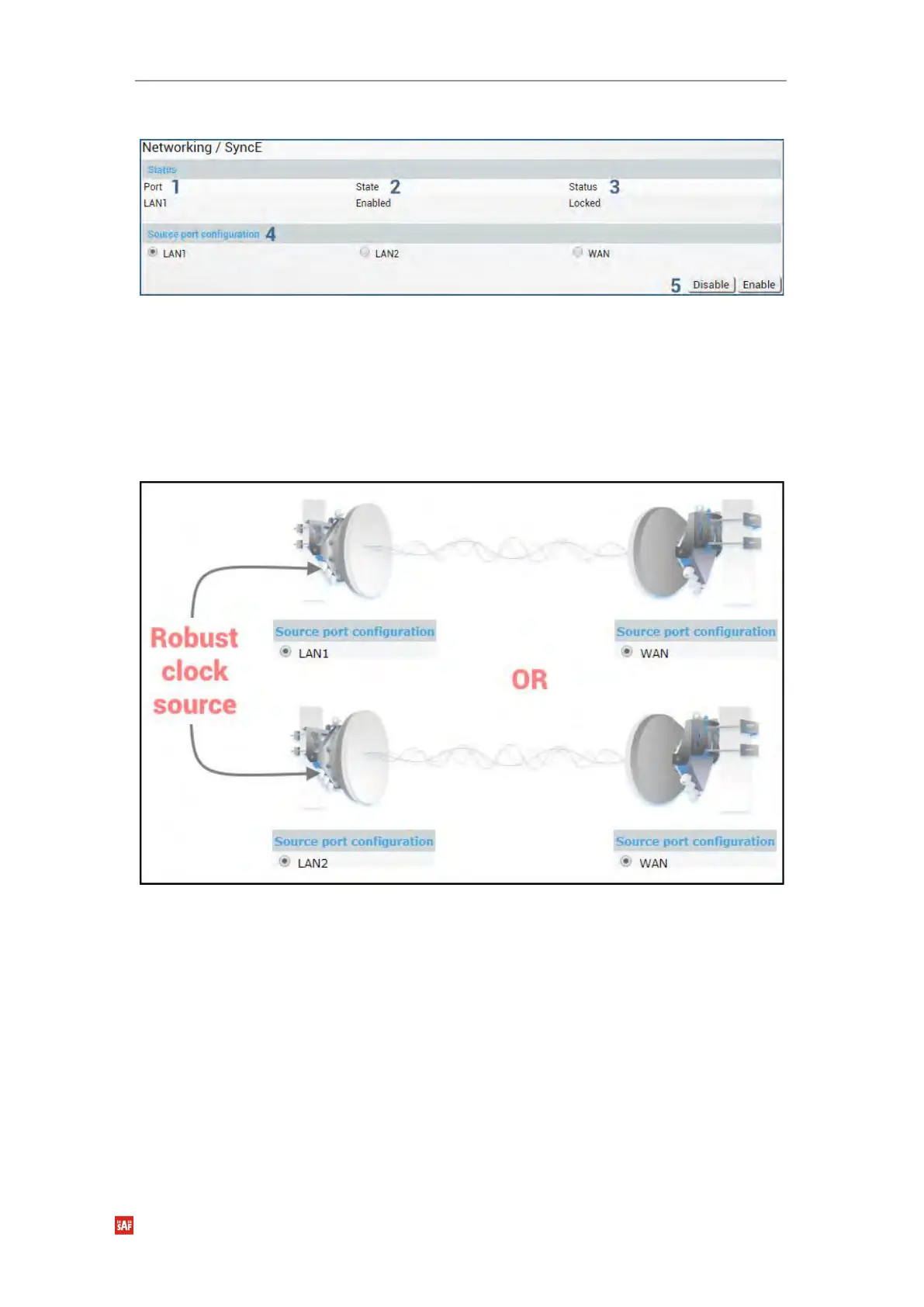
1) Port - Indicates SyncE source port (if enabled);
2) State – Indicates if SyncE is enabled.
3) Status – Indicates “Locked” if SyncE is operating normally.
4) Source port configuration – Allows specifying SyncE source port.
5) Disable/Enable – Allows enabling or disabling SyncE operation.
Configuration examples
1) Integra/Integra-S/Integra-G/Integra-GS link with an external clock source
2) Integra/Integra-S/Integra-G/Integra-GS back-to-back interconnection with an external
clock source



 To Next Page