INTEGRA/-S/-G/-GS User Manual WEB GUI
SAF Tehnika JSC
network qos set <port> base
state {enable|disable}
Use to enable or disable port-based priorities.
network qos set <port> base
priority <0…7>
Use to specify the queue of port-based priority.
network qos set sched_mode
{frame|byte}
Use to select the scheduler’s mode – frame (SP/RR/WRR)
or byte (SP/DWRR).
network qos show config
{LAN1|LAN2|LAN3|WAN|all}
Use to show QoS user configuration.
network qos show info
{LAN1|LAN2|LAN3|WAN|all}
Use to show the actual status of QoS configuration.
network qos show sched_mode
Use to show CoSQ Scheduling Mode.
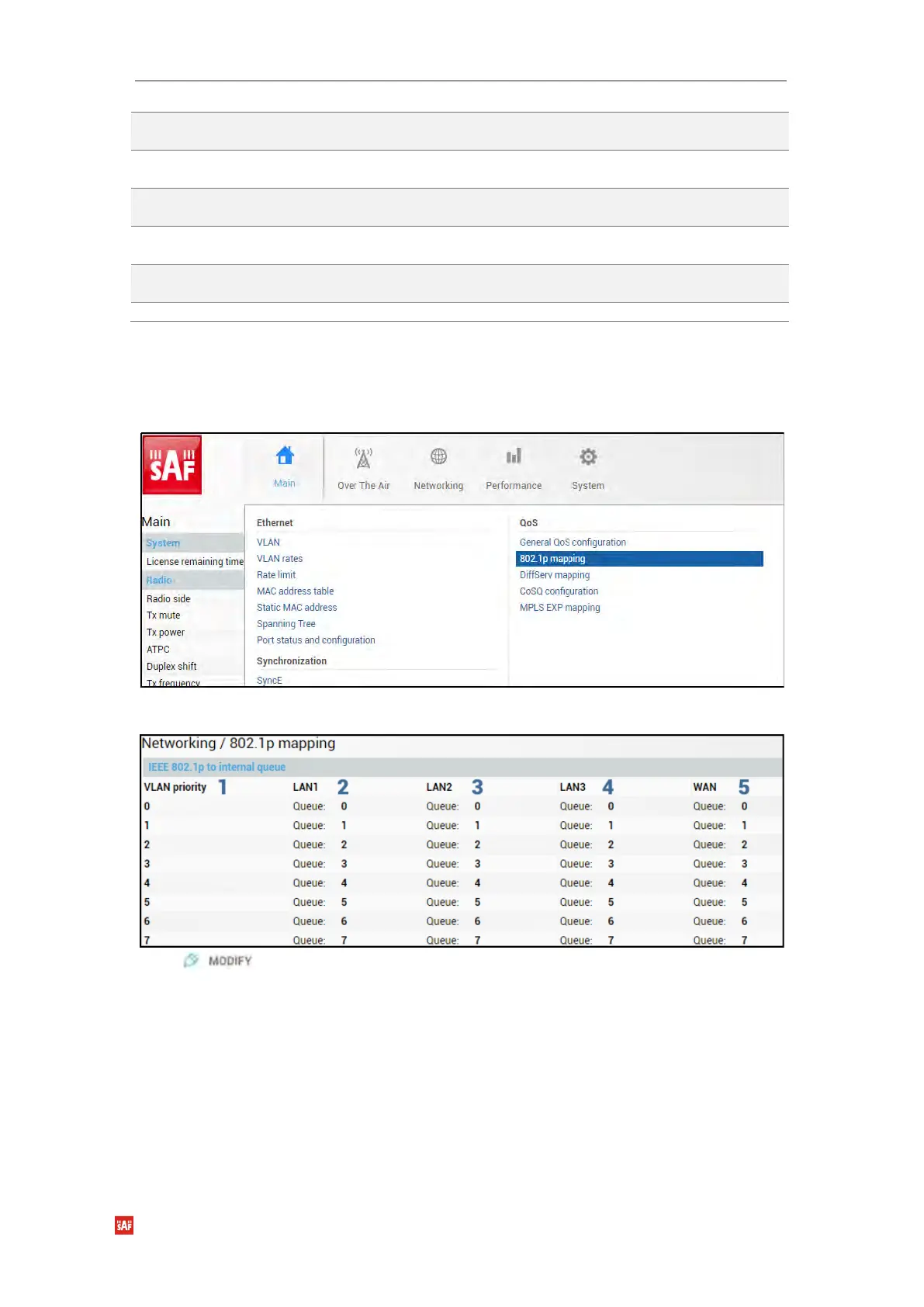
Networking → QoS → 802.1p mapping
The 802.1p mapping page allows customizing the mapping of IEEE 802.1p priority tags and
available QoS queues.
Status mode
Press button.



 To Next Page