INTEGRA/-S/-G/-GS User Manual WEB GUI
SAF Tehnika JSC
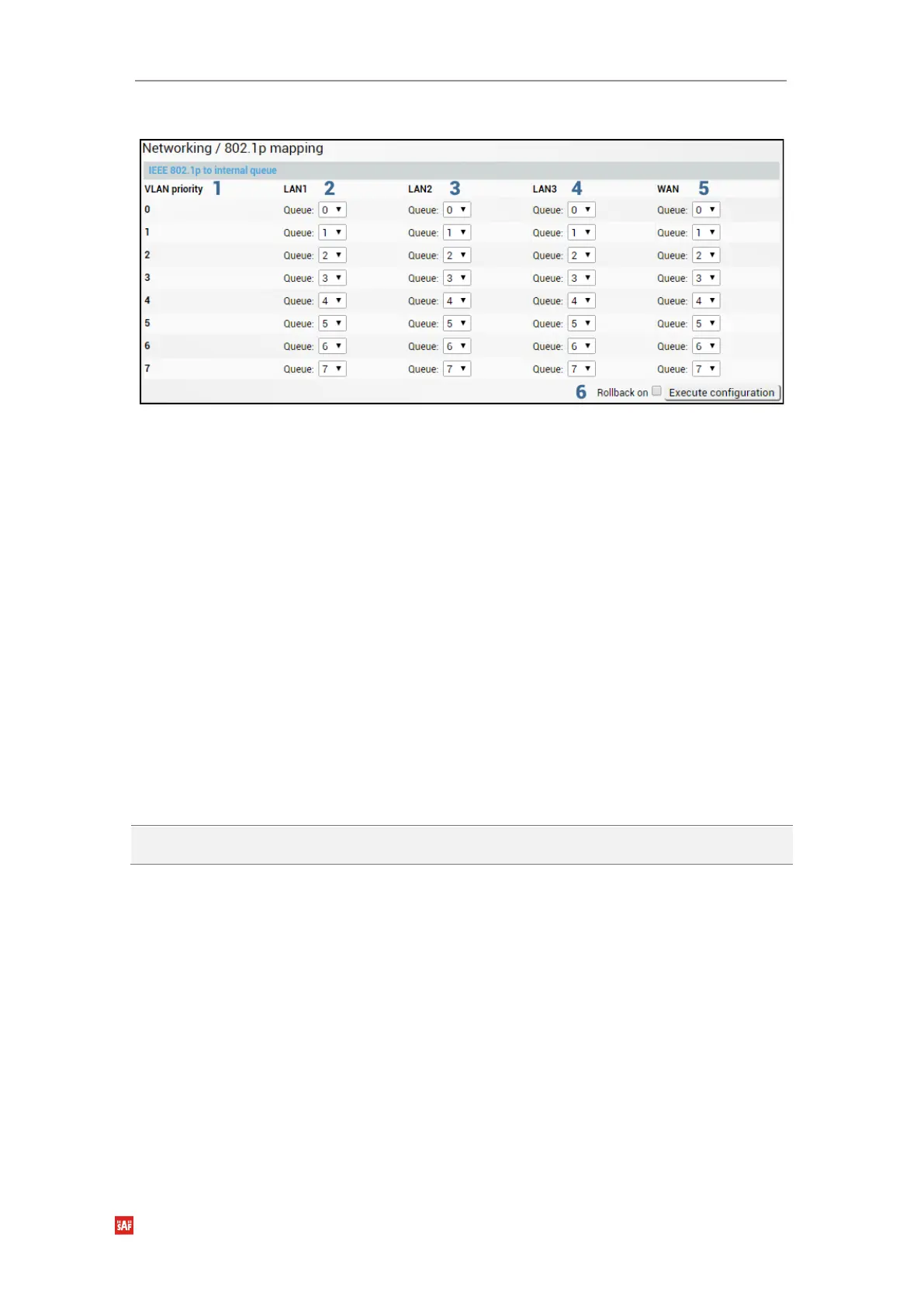
Modify mode
1) VLAN priority – Indicates PCP (Priority Code Point) values 0 – 7.
2) LAN1 – Indicates to which egress queue packets will, according to 802.1p priority, be
put in if 802.1p QoS prioritization is enabled on LAN1 port (status mode); allows
modifying default mapping of priority values and queues (modify mode).
3) LAN2 – Indicates to which egress queue packets will, according to 802.1p priority, be
put in if 802.1p QoS prioritization is enabled on LAN2 port (status mode); allows
modifying default mapping of priority values and queues (modify mode).
4) LAN3 – Indicates to which egress queue packets will, according to 802.1p priority, be
put in if 802.1p QoS prioritization is enabled on LAN3 port (status mode); allows
modifying default mapping of priority values and queues (modify mode).
5) WAN – Indicates to which egress queue packets will, according to 802.1p priority, be
put in if 802.1p QoS prioritization is enabled on WAN port (status mode); allows
modifying default mapping of priority values and queues (modify mode).
6) By pressing „Execute configuration”, changes made to the corresponding section
apply only to the local side Integra/Integra-S/Integra-G/Integra-GS. If „Rollback on” is
selected, the configuration will be reverted in case erroneous configuration changes
are applied.
CLI commands (Chapter 4: COMMAND LINE INTERFACE)
network qos set <port> vlan
priority <0..7> priority <0..7>
Use to change default 802.1p priority mapping.


 To Next Page
 Loading...
