INTEGRA/-S/-G/-GS User Manual WEB GUI
SAF Tehnika JSC
log event configure
{enable|disable}
Use to enable or disable the event log filter.
log event configure dump <1…60>
Use to configure duration in minutes during which filter
is monitoring repetitions.
log event configure pattern
<1…10>
Use to configure a number of log entry repetitions to be
monitored.
log event configure status
Use to display the current configuration of grouped
repetitive alarm-event log entries (filter).
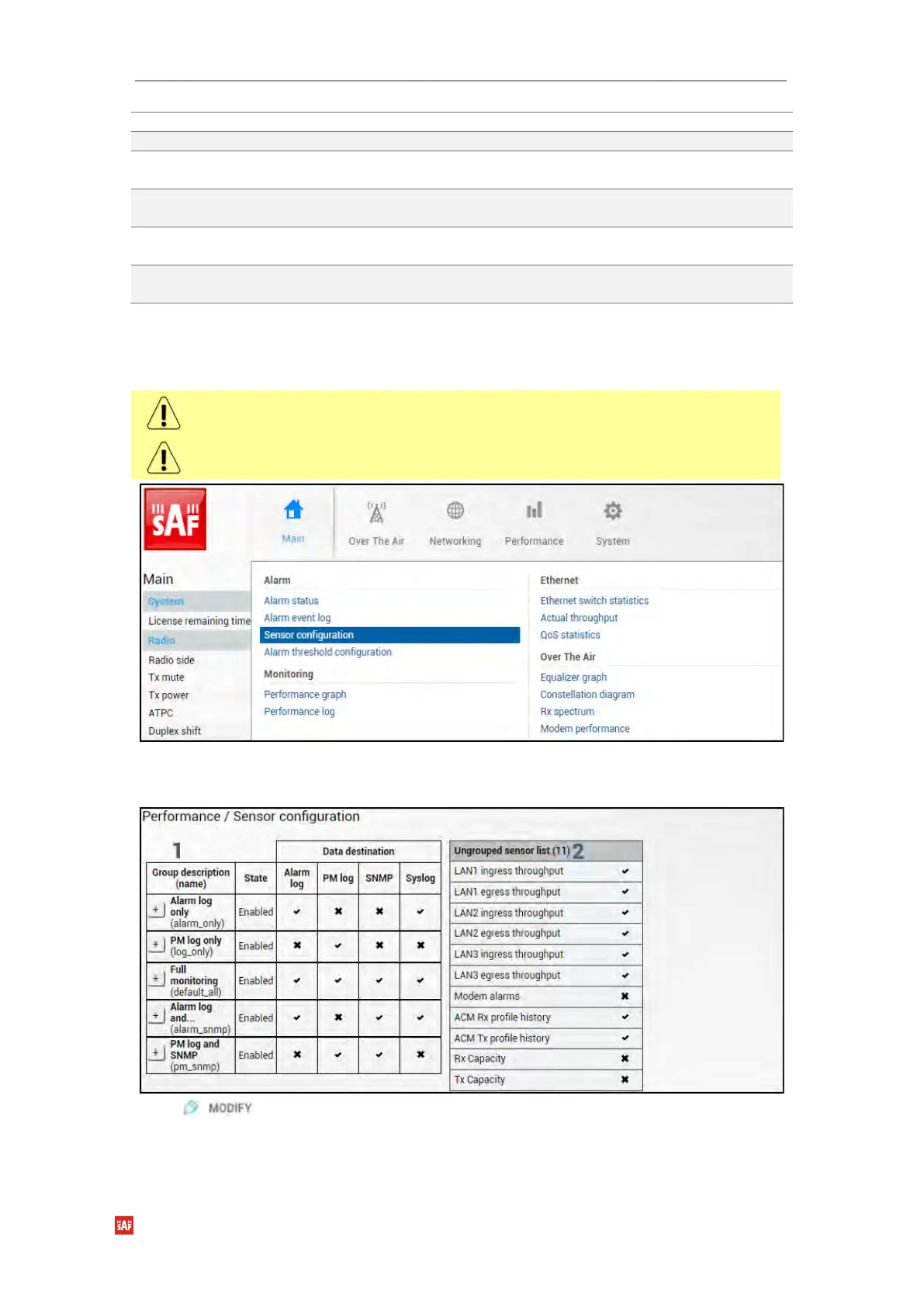
Performance → Alarm → Sensor configuration
The following section allows for specifying the behavior of available sensor parameters.
After the firmware upgrade, it is required to reset the sensor configuration to default using
“Set all to default” button and reconfigure sensors as required.
It is not recommended to add “License remaining time” sensor parameter to performance
(“perfd”) type parameters.
Status mode
Press button.


 To Next Page
 Loading...
