INTEGRA/-S/-G/-GS User Manual WEB GUI
SAF Tehnika JSC
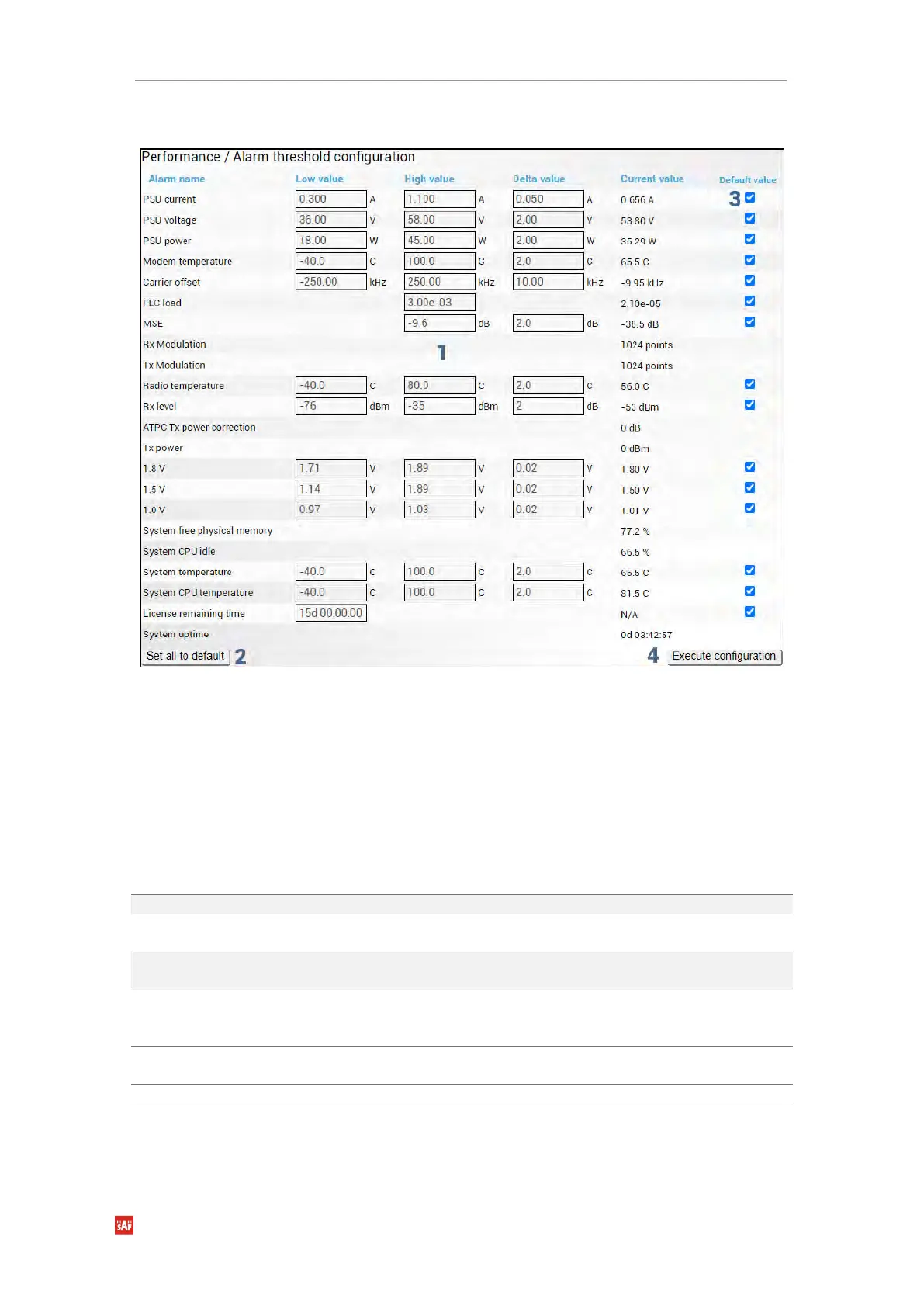
Modify mode
1) Indicates low, high, and delta values of the parameters (status mode); “Low value”,
“High value” and “Delta value” fields for all parameters become editable when
“Default value” is deselected (modify mode);
2) Set all to default – resets “Low value”, “High value” and “Delta value” for all
parameters to factory defaults;
3) Default value – deselect to activate manual threshold modification;
4) By pressing „Execute configuration”, changes made to the corresponding section
apply only to the local side Integra/Integra-S/Integra-G/Integra-GS.
CLI commands (Chapter 4: COMMAND LINE INTERFACE)
Use to show the configuration of sensor thresholds.
log sensor mgmt <sensor>
control {enable|disable}
Use to enable or disable a sensor.
log sensor mgmt <sensor>
thold <min> <max> <delta>
Use to set sensor’s min, max thresholds, and delta values
manually.
log sensor mgmt <sensor>
time <0…30>
Use to set sensor hysteresis time in seconds. Will be used to
show a value in orange color indicating that the sensor value
recently exceeded its thresholds.
log default {all| group|
sensors [sensor]}
Use to set group, individual sensor, or all sensor configuration
to default.
Use to list all available sensors.


 To Next Page
 Loading...
