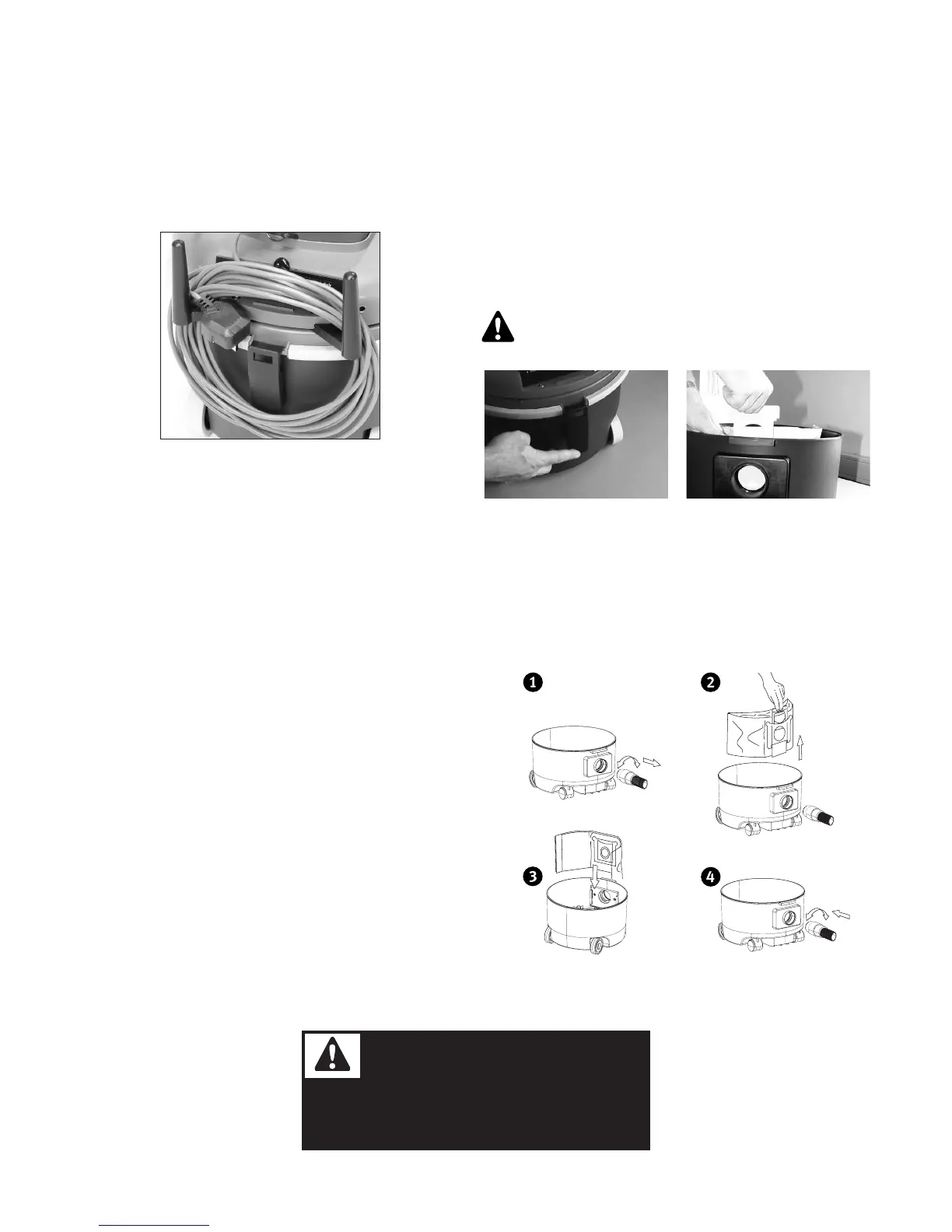
HANGING UP THE POWER CORD:
Roll up the power cord (start from the machine end of the power
cord to prevent it from curling up) and hang it on the hook for the
same
CHECK-UP BEFORE USE
Check to see that a dustbag has been installed If necessary, put in
a new one For this, read the instructions under REMOVING AND
REPLACING THE DUSTBAG
VACUUM CLEANING OF CARPETS
Insert the plug into a plug socket Make sure the light on the on/off
switch lights up
Switch on the on/off switch The suction motor is started Clean the
carpet without pressing down: the vacuum cleaner will work best if
excessive pressure is not applied to the carpet
REMOVING AND REPLACING
THE DUSTBAG:
Change your dustbag when the dustbag buzzer is making a noise
(optional) Open the vacuum cleaner by opening the latching
arrangement Take the hose out of the hose connection
Fold the ends of the dustbag together and take the
dustbag carefully out of the holder
Throw the full dustbag into a trash can
Always put in a new suction bag into the machine
immediately after removing the full bag
Place the new dustbag as far inside the holder as possible
on the inlet opening of the tank inlet Fold down the
upper edge of the bag, so that this does not get caught in
the latching arrangement
Again close the holder and check to see whether the catch
closes properly
Instructions are also printed on each dustbag
Instruction Manual
ESD
Page 4
Attention
This is a ESD Vacuum Cleaner
Every part is ESD approved
Replace parts only with ESD approved materials!!


 To Next Page