27
1.3.3 Lock/Unlock your screen
To protect your tablet and privacy, you can lock the tablet screen by
choosing swipe or creating a pattern, PIN, or password.
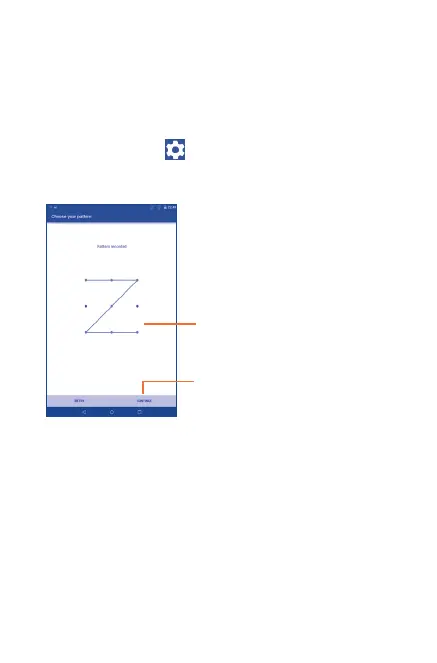
To create a screen unlock pattern (refer to section "Screen lock"
for detailed settings)
•Drag down the Status bar and open the Quick settings panel then
touch the settings icon
to enter Settings, then touch Security
> Screen lock > Pattern.
•Draw your own pattern.
Draw your unlock pattern
Touch to confirm by drawing
pattern again
To create a screen unlock PIN/Password
•Touch Settings > Security > Screen lock > PIN or
Password.
•Set your PIN or password.
To lock tablet screen
Press the Power key once to lock the screen.



 To Next Page