54
7 Multimedia apps
7.1 Camera
Your tablet is fitted with a Camera for taking photos and shooting
videos.
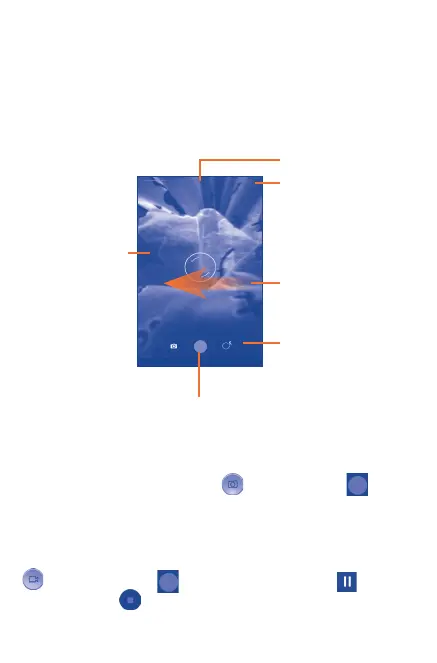
Swipe left to view
pictures or videos
you have taken.
Touch to take a picture or video.
Touch to switch
between camera
and camcorder.
Touch to show settings
Pinch two or
more fingers
together or
spread them apart
to zoom out/in.
Touch to switch
between front/rear
camera
Take a picture
The screen acts as the viewfinder. First position the object or
landscape in the viewfinder, touch
icon, then touch to take
the picture which will be automatically saved.
Shoot a video
First position the object or landscape in the viewfinder, and touch
icon , then touch to start recording. Touch to pause
recording, touch
to save the video.



 To Next Page