Connections
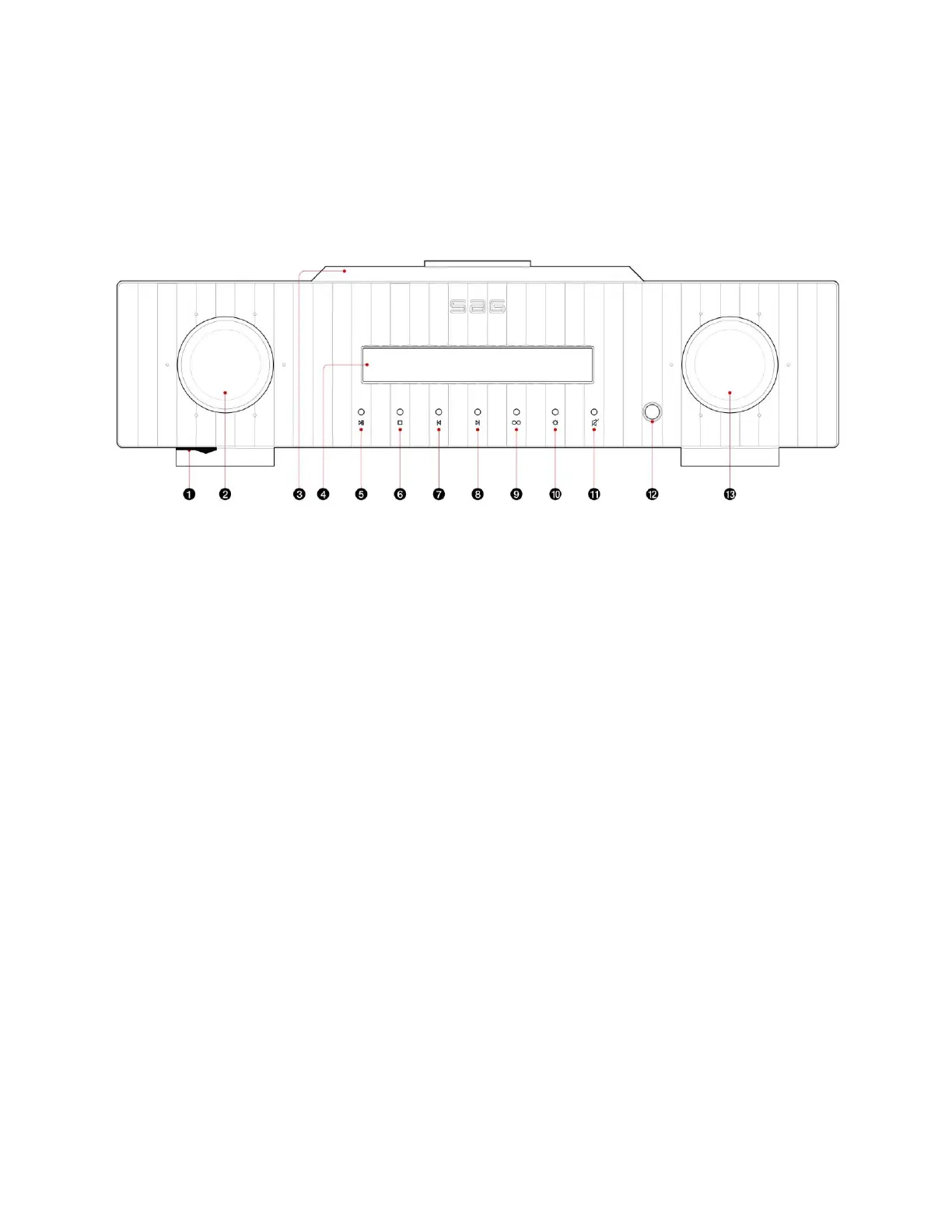
Front Panel View
1) POWER On/Off Switch : Power switch is located beneath the bottom of the
front/leftside which can not be seen from above.
Just slide your finger underneath from the left front panel to operate this switch.
2) INPUT SELECTOR KNOB
Rotate the Knob to find your preferred input. You have to see the left side of the
display to select your input status
3) CD TOP COVER
Slide back to open the CD drawer.
Then place your CD and put the stabilizer followed by closing the door to initialize
CD playback.
When the CD is closed, the information of the CD (tracks, time) info will be
displayed.
4) DISPLAY AREA
11 digits of 7 segment display will be shown.
Left side of the display shows the 'INPUT' and the right side displays 'VOLUME'
when in normal mode.
5) PLAY/PAUSE
CD, USB Memory Stick



 To Next Page