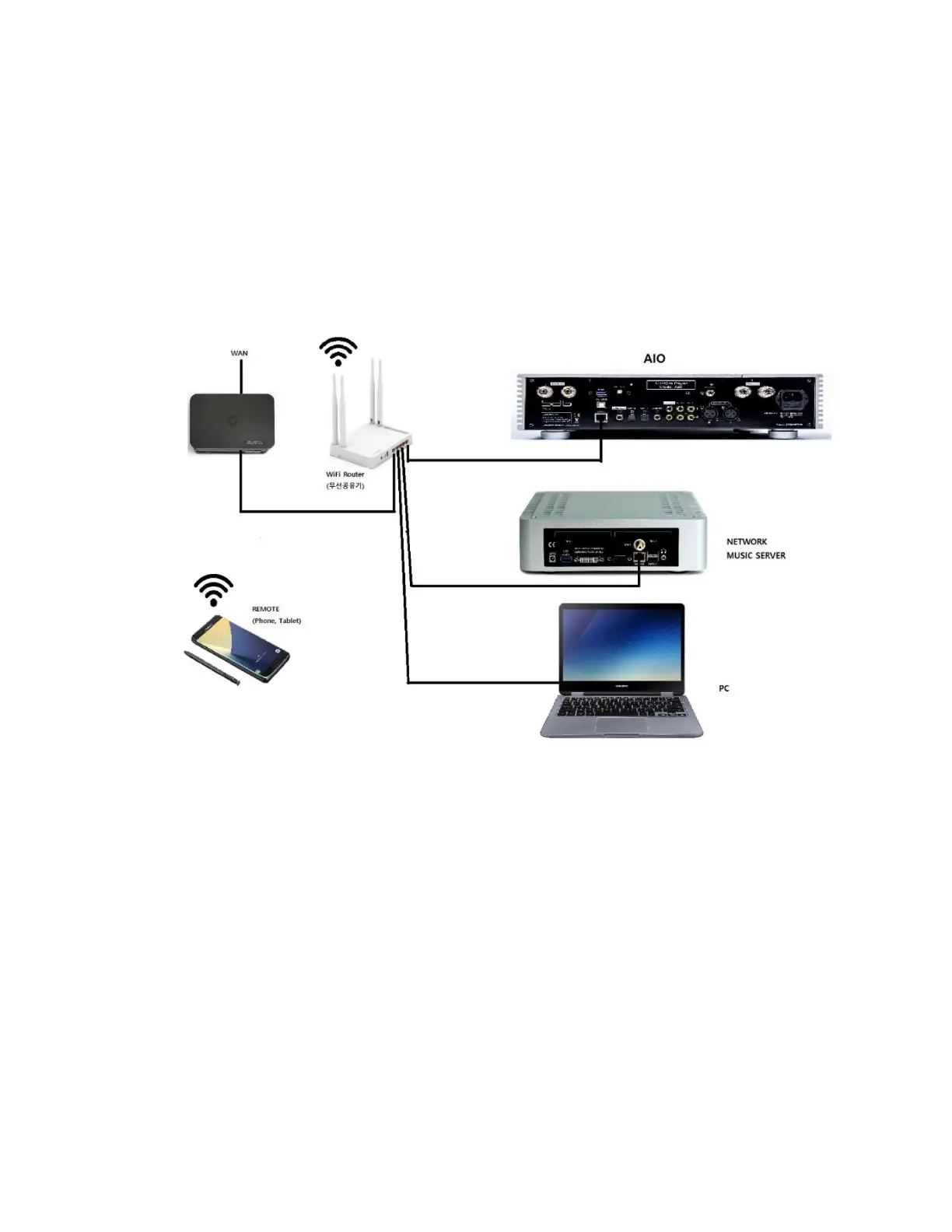
Wiring (Connection) Diagram
⚫ Use proper CAT-5 LAN cables between your WAN modem and
Wifi router as well as between the router and devices.
- Music Server and PC can be optional.
- You need a Wifi Router which is connected to outside WAN network (mostly
provided by the Network Suppliers).
- You can connect one port of the wifi router with AIO.
- Make sure that IP name of the network (wired or wireless) should be same.
- You do not need any setting from AIO when you use wired LAN connection
between WiFi Router and AIO.
- Use your smart phone or tablet as a remote.



 To Next Page