
 Need help?
Do you have a question about the Sage Oracle Touch SES990 and is the answer not in the manual?
Essential safety guidelines for appliance use, handling, and maintenance to prevent injury.
Specific safety and storage instructions for water filter cartridges.
Instructions for preparing and installing the water filter into the machine.
Guide for initial machine setup and powering on for the first time.
Steps for filling the hopper and initiating the coffee grinding process.
Guidance on choosing between 1-cup and 2-cup filter baskets for brewing.
Instructions for using the automatic grind, dose, and tamp feature.
How to initiate, control espresso extraction, and adjust shot volume.
Steps for both automatic and manual milk texturing for beverages.
Information on preparing Americano and Café Crema using preset options.
Guidance on adjusting grind size for optimal espresso extraction.
Instructions for keeping the touch screen clean for proper function.
How to initiate and perform the automatic cleaning cycle for the machine.
Detailed steps for cleaning the grinder's conical burrs.
Instructions for cleaning the steam wand and its tip after use.
Steps for rinsing and cleaning the filter basket and portafilter.
Procedure for performing a clear water backflush after use.
How to clean the group head interior and shower screen.
Instructions for removing and cleaning the drip and storage trays.
How to clean the machine's exterior and cup warming tray.
Guide to accessing and performing the machine's descaling procedure.
Solutions for grinder motor problems and hopper locking issues.
Troubleshooting common issues like portafilter overfilling or espresso leakage.
Resolving error messages on the touch screen and pump operation issues.
Addressing problems with no water flow or wet steam output.
Solutions for display messages, no steam, or machine not operating.
Troubleshooting restricted flow, fast flow, and coffee temperature issues.
Addressing issues with no crema, insufficient milk texture, or coffee extraction.
 General
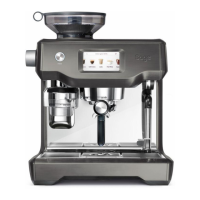
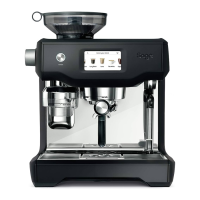
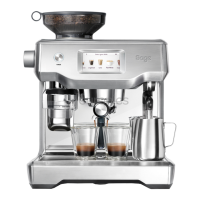
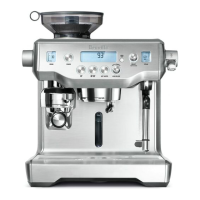
| Type | Automatic Espresso Machine |
|---|---|
| Dimensions | 39.2 x 37.3 x 45.4 cm |
| Water Tank Capacity | 2.5 L |
| Bean Hopper Capacity | 280 g |
| Touchscreen | Yes |
| Pump Pressure | 15 bar |
| Milk Frother | Automatic |
| Grinder | Integrated Conical Burr Grinder |
| Material | Stainless Steel |
| Heating System | Dual Boiler |
| Pre-infusion Function | Yes |
| Color | Brushed Stainless Steel |
| Programmable Settings | Yes |
| Dual Boiler | Yes |
| PID Temperature Control | Yes |
| Voltage | 220-240 V |
| Frequency | 50-60 Hz |




 To Next Page
