6
F@ST 5302
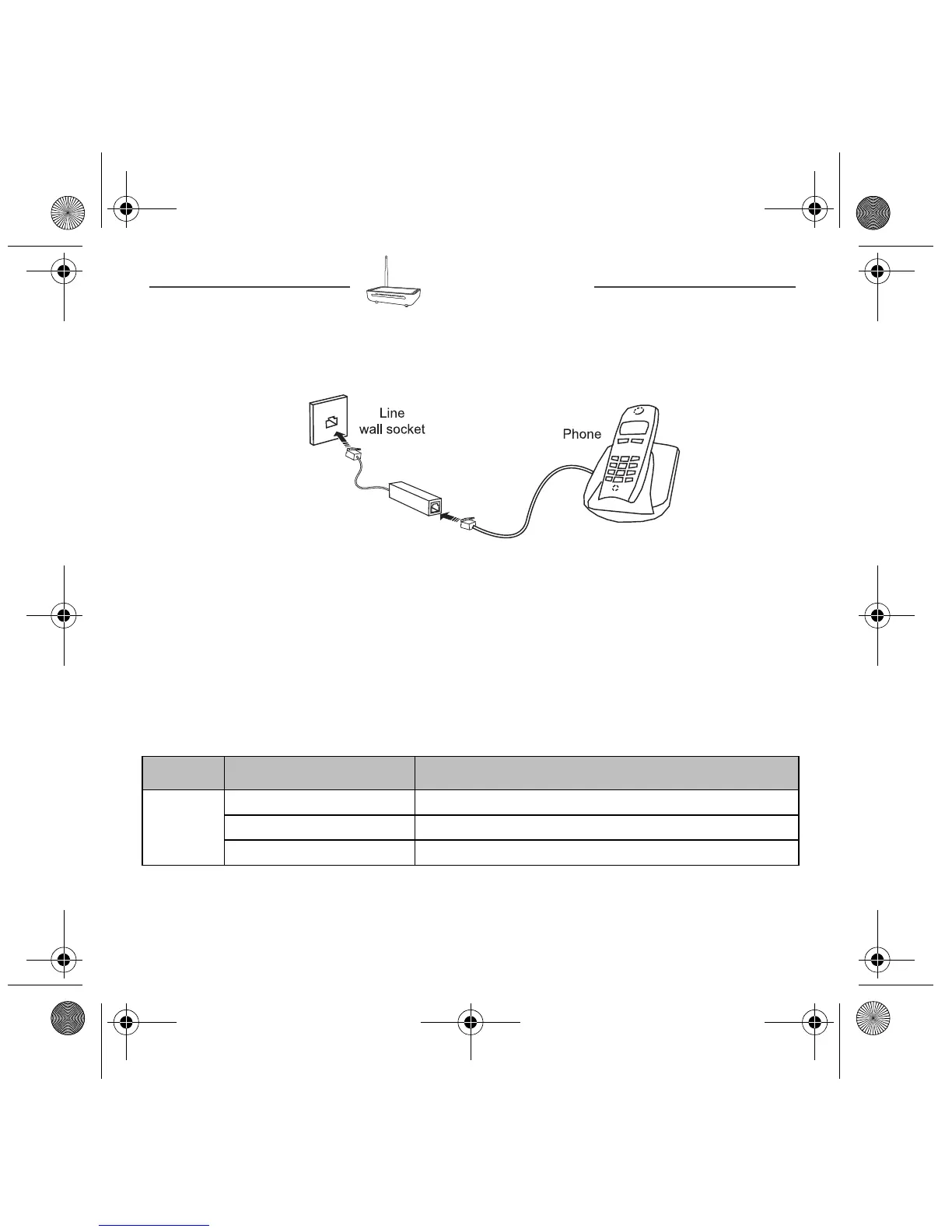
Connecting additional telephones
Make the connections as shown in this diagram.
Router supervision
You can monitor the router’s activity and status using the following sources:
• status of the LEDs on the front and left panels of the router,
• using the router’s built-in "DSL Router" HTTP controller, available in the HTTP
configuration tool.
Status of the LEDs on the front panel
LED Status Meaning
Power
Off Power Off
Green Power On
Red Router in rescue mode
ADSL/VDSL
filter
If phone line isn't VoIP (Voice over Internet Protocole)
PSTN line
QIG 253xxxxxx Fast 5302_EN.book Page 6 Lundi, 25. mars 2013 3:25 15



 To Next Page