Operating instructions Concept PDG 2906 peristaltic dosing pump
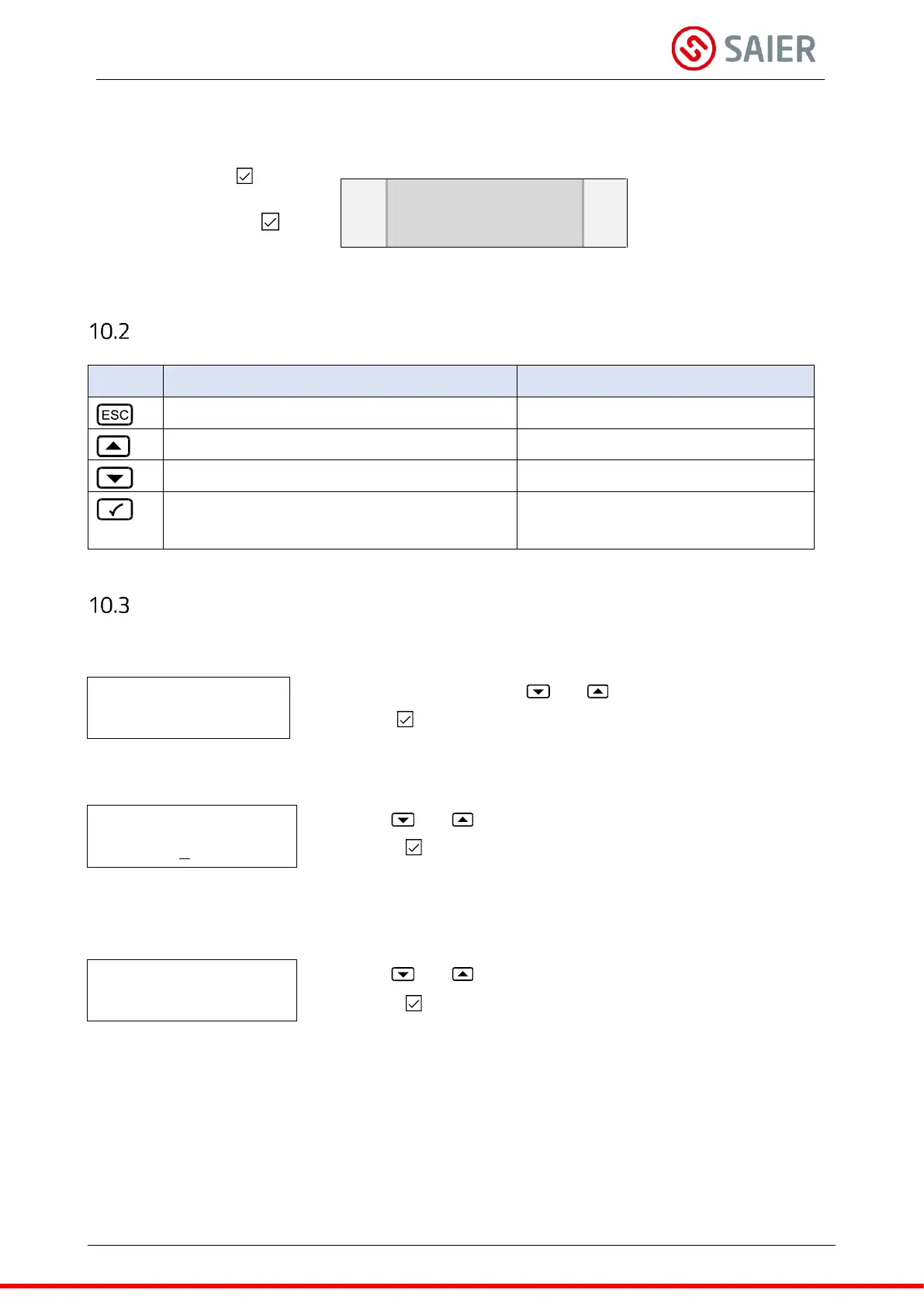
Top arrow: Press the button to
open the menu.
Bottom arrow: Press the button
to confirm the value.
- Select menus
- Change values
Navigate through the menu
Back to the previous value
Back to the previous menu
Open menu
Exit menu after entering value
Navigate and change values
Select and open menu
Select the menu using the and buttons.
Press the button to open the menu.
Use the and buttons to increase/decrease the value.
Press the button to confirm the value.
Note: The underlined value can be changed.
Change status
Use the and buttons to select a status.
Press the button to confirm the input.


 To Next Page