10
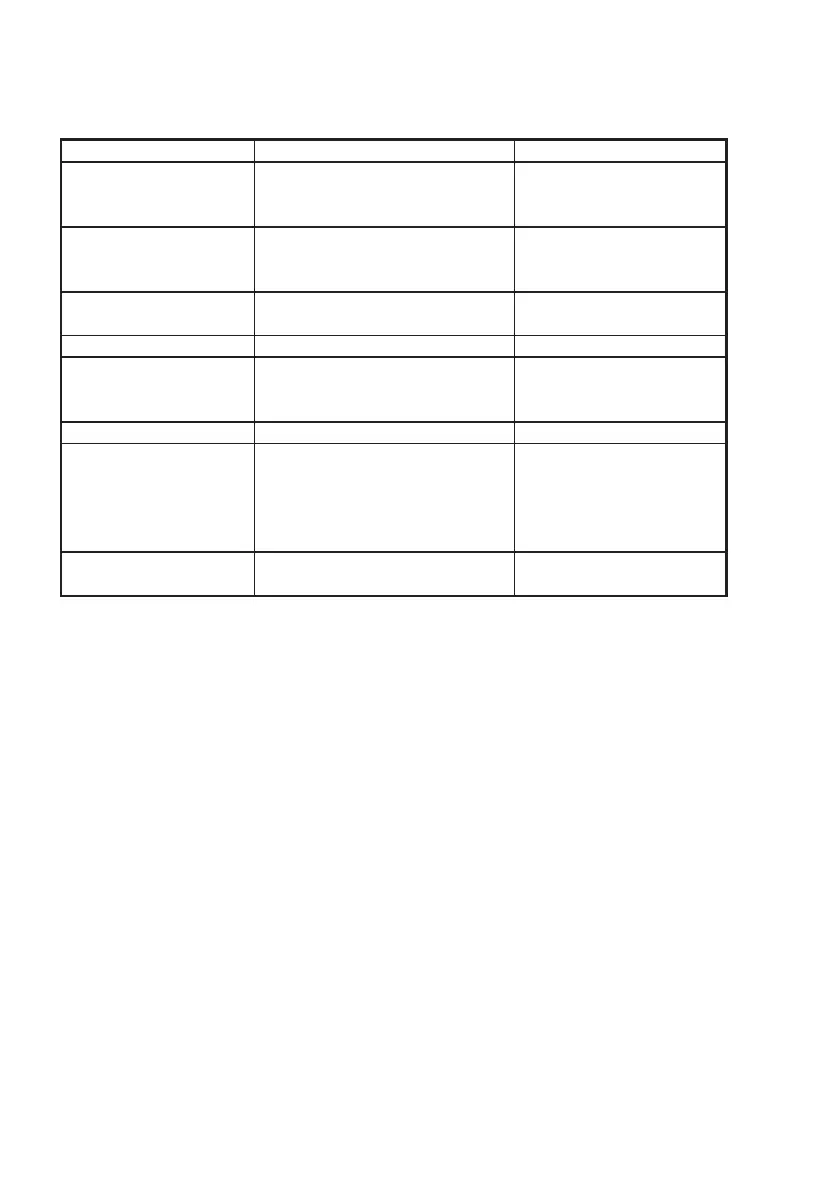
Fault Finding
Symptom Possible Cause Remedy
Unit will not switch on
y
Battery not char
ed
y
Re-char
e battery
y
Battery not attached correctly
y
Ensure battery is fully
to radio en
a
ed (see secton 2.5)
Scan or Memory Scan is
y
Noise on the channel is holdin
y
Increase squelch level
locking on a channel the scan
y
Inhibit channel from scan
without a si
nal
Dual Watch not being
y
Priority channel selected
y
Select a working channel
entered (normally Ch16)
Cannot change channel
y
Dual Watch (D/W) en
a
ed
y
Exit Dual Watch
Certain channel numbers
y
Some channels are restricted
y
Consult your national
are not obtainable and pro
rammed out dependin
authority for permitted
on country of purchase channels in your re
ion
Will not transmit
y
Scannin
or D/W function
y
Exit D/W or Scan
Will not transmit on 2.5W
y
Low voltage when full
y
Battery charge low -
but OK on 1
transmittin
current is drawn rechar
e the battery
y
Consult your national
authority
Transmissions
persistently weak
y
Damaged antenna
y
Replace antenna
These simple checks should be carried out
before seeking technical assistance and
may save time and expense.
Before contacting your servicing agent
please obtain the radio’s serial number and
the software iteration - this is shown in the
large digits on the display for 2 seconds
after the radio is turned on.
0451


 To Next Page