4
KEYS AND FEATURES
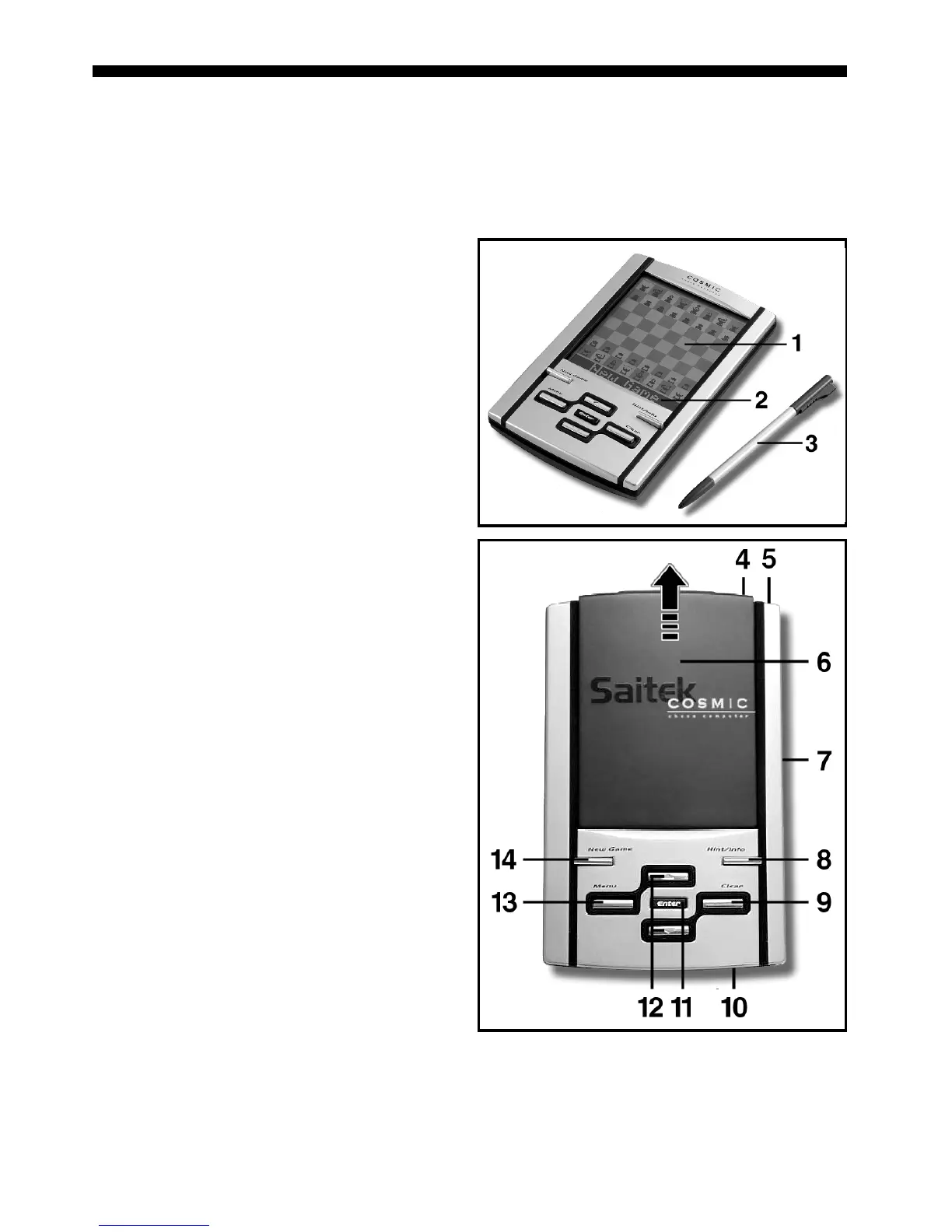
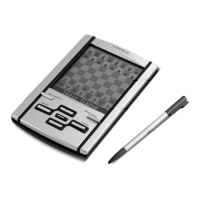
1.TOUCH SCREEN CHESSBOARD: Each square registers piece movement
when pressed gently with stylus or fingertip.
2.INFORMATION LINE: Shows moves, game information, and chess clocks.
Also used when selecting options and levels, setting up positions, and more.
3.STYLUS: Used to make moves on the touch screen; also used to select
settings in the Information Line area.
4.GO/STOP KEY: Press to turn unit
on; press twice to turn off. Press to
pause scrolling display; resume
scrolling with CLEAR.
5.STYLUS STORAGE AREA: Insert
stylus into slot when not in use.
6.LCD COVER: Slides on to protect
display when unit is not in use.
7.ACL (Reset): In base of unit. Used
to eliminate static discharge after
inserting new batteries.
8.HINT/INFO KEY: Press during your
move for a hint. Press repeatedly to
cycle through main Info displays.
9.CLEAR KEY: Press to exit Option/
Info Modes; to cancel Level/Study
Modes with no changes; to clear
Info Mode displays; to remain in
Study Mode after a wrong move; to
clear the board in Setup Mode; to
resume scrolling after a pause; and
to resume play after takebacks.
10. BATTERY COMPARTMENT: In
base of unit. Uses three “AAA”
(AM4/R03) alkaline batteries.
11. ENTER KEY: Press to change sides
with the computer. Press while the
computer is thinking to force it to
move. Press to select Main Menu
items; to select settings and turn
options on/off in Option/Info Modes;
to enter a new level in Level Mode;
to select a Study Position; to exit
Setup Mode with a new position.
12. ¯/˘ KEYS: Press to cycle through
Levels/Study Positions one at a time in Level/Study Modes. Press to cycle
through Options/Info displays in Option/Info Modes. Press to take back/
replay moves in Takeback Mode.
13. MENU KEY: Press to enter Menu Mode; press again to exit.
14. NEW GAME KEY: Press twice, in quick succession, to reset the computer.




 To Next Page