
 Need help?
Do you have a question about the Saitek Electronic Chess Partner and is the answer not in the manual?
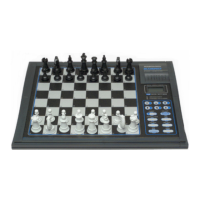
Control buttons for power, game operation, and input, covering functions like GO/STOP, PLAY, LEVEL, TAKE BACK, NEW GAME.
16 indicator lights displaying game status, moves, skill level, and computer thought process.
Includes the ACL reset switch for system recovery and the battery compartment for power.
Instructions for initial setup, battery insertion, and beginning the first game.
Utilizing the computer to officiate games and flag illegal moves by players.
Reveals the computer's best move during its computation process.
Preserves the game position for up to 24 months when the device is powered off.
Confirms correct piece placement on the board using dedicated piece keys.
Resets the system to clear memory, typically used after electrical disturbances.
Proper handling, cleaning, and battery management to ensure longevity and prevent damage.
Provides details on components, power, memory, dimensions, weight, and playing strength.
 General
| Brand | Saitek |
|---|---|
| Model | Electronic Chess Partner |
| Category | Game Console |
| Language | English |


 To Next Page