
 Need help?
Do you have a question about the Saitek YOKE and is the answer not in the manual?
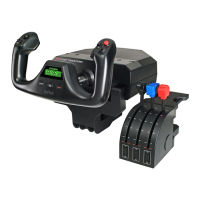
Details controls on yoke handles and the functionality of the chronograph display.
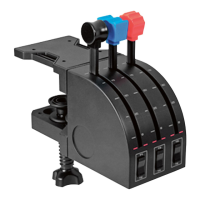
Describes lever knobs, switches, and levers on the throttle quadrant for flight simulation.
Introduces the system, lists features, and guides physical mounting of yoke and quadrant.
Provides the procedure for installing necessary drivers and software for Windows.
Covers enabling controllers in games and default FS9/FSX mappings.
Explains how to use ST software for detailed controller customization and profile creation.
Details all buttons, axes, and functions of the flight yoke and throttle quadrant.
Guides users on assigning custom functions to controls within flight simulation software.
Explains how to create and manage custom controller profiles using the Saitek ST programming software.
Details the limited warranty, how to claim it, and available technical support resources.
Lists essential safety precautions and warnings for product usage to prevent hazards.
 General
| Brand | Saitek |
|---|---|
| Model | YOKE |
| Category | Game Console |
| Language | English |


 To Next Page