
 Need help?
Do you have a question about the Saitek Pro Flight Instrument Panel and is the answer not in the manual?
Guidance on setting up the Saitek Pro Flight Instrument Panel, including standalone use and mounting options.
Steps for installing the Saitek Pro Flight Instrument Panel software and drivers.
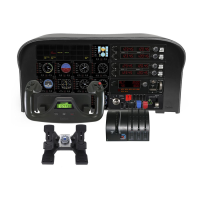
Overview of the different instrument displays available on the Flight Instrument Panel.
Instructions for mapping simulator instrument displays to the Flight Instrument Panel.
Explanation of the functions of the six additional buttons on the Instrument Panel.
Details on connecting multiple Instrument Panels and using them across a Local Area Network (LAN).
Steps to configure the server PC for remote instrument panel connectivity.
Steps to configure the client PC for remote instrument panel connectivity.
Guidance for resolving common connection problems when setting up remote panels.
Accessing helpful tips and tutorials within the software.
Details on the two-year limited warranty for the product.
Procedure for obtaining warranty service and required documentation.
Contact information for technical support via phone and online.
Information regarding FCC and Industry Canada compliance and warnings.
Important safety warnings and precautions for using the product.
Statement of conformity with European Union directives.
 General
| Connectivity technology | Wired |
|---|---|
| Device type | Flight Sim |






 To Next Page
