Need help?
Do you have a question about the Saitek P3000 and is the answer not in the manual?
Instructions for initial charging and setup of the wireless pad.
Steps for installing only the drivers for typical Windows XP users.
Steps for installing drivers and programming software for advanced Windows XP users.
Steps for installing only the drivers for typical Windows 2000 users.
Steps for installing drivers and programming software for advanced Windows 2000 users.
Steps for installing only the drivers for typical Windows 98/ME users.
Steps for installing drivers and programming software for advanced Windows 98/ME users.
Information on how to check for and update drivers and software.
Instructions for updating drivers using Windows Update for XP users.
Overview of the Saitek Smart Technology Programming Software features.
Explanation of what a 'Profile' is in the context of the software.
Guide on how to create custom profiles using the SST software.
Guidelines and preparation steps before contacting technical support.
 General
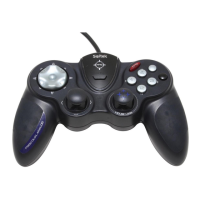
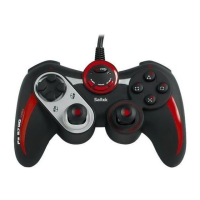
| Type | Gamepad |
|---|---|
| Connectivity | Wired |
| Interface | USB |
| Compatibility | PC |
| Buttons | 10 |
| Analog Sticks | 2 |
| Vibration Feedback | Yes |
| D-Pad | Yes |


 To Next Page