64
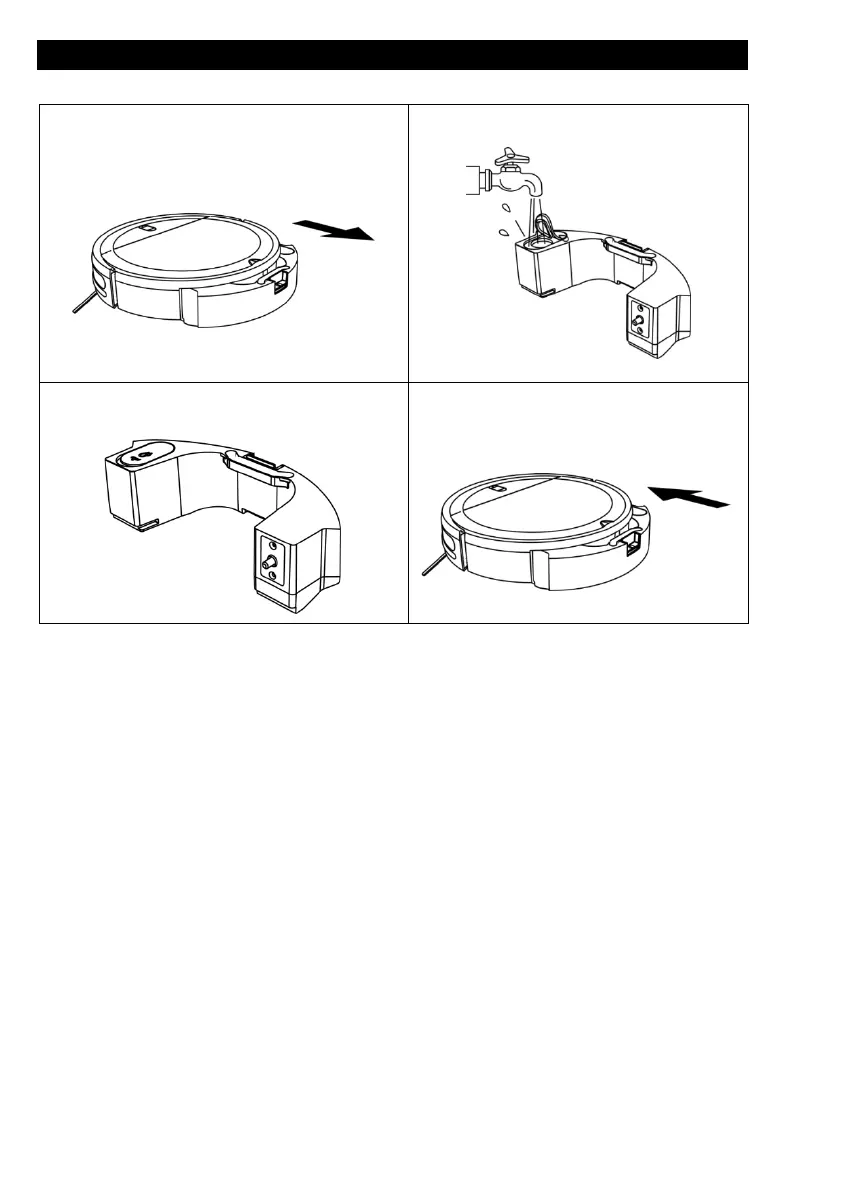
Product Usage / Watertank
1. Take out the watertank;
2. Open the silica gel plug and add water;
3. Flatten the rubber plug
4. Install the watertank to robot
To add water or clean the dust cloth when the machine works, please pause it, and take
out and reassemble the mopping module according to previous steps.
When the robot is finished working, press the button in the middle of the water tank to
remove the mopping module backwards, remove the mopping holder, empty the water in
the water tank and clean the mopping cloth.
Note:
• Mopping function of the machine is intended for wiping and is conducive to
deep cleaning. It cannot remove stubborn stain effectively and replace labor
force.
• The cleaning robot cannot be used to remove liquids.
• Please do not use mopping function on the carpet.


 To Next Page