Need help?
Do you have a question about the Salora 40FS304 and is the answer not in the manual?
Symbols indicating restrictions, precautions, and safety instructions for product use.
Guidance on eco-friendly operation and energy saving settings for the TV.
Lists the items provided with the TV package.
Details on using the TV's single control button for various functions.
Instructions on how to use the TV's remote control for navigation and settings.
Navigating and using the TV's main menu system.
Instructions on how to insert batteries into the TV remote control.
Important information about connecting the TV to the power source.
How to connect an aerial or cable TV plug to the TV.
Guidelines for proper disposal of the TV and batteries according to regulations.
Technical specifications of the TV, including broadcasting, audio, and dimensions.
Explanation of the customizable "My Button 1" function on the remote.
Illustrates various connector types and their corresponding cables and devices.
Step-by-step guide for initial TV setup and configuration.
How to connect and use USB devices for media playback.
Instructions on how to record programmes using a USB storage device.
Using the timeshift feature to pause and record live broadcasts.
Accessing and playing media files from connected USB devices.
Controlling CEC-enabled devices via HDMI using the TV remote.
Settings for adjusting picture quality like mode, contrast, brightness, and colour.
Settings for adjusting audio options like volume, equalizer, and sound output.
Network configuration options including wired and wireless setup.
Channel scanning, tuning, and installation settings.
Information and settings related to the Netflix application.
Editing and managing the TV's channel list and favourite channels.
Browsing broadcast schedules and event details.
How to search for and install TV firmware updates.
Common issues like no picture/sound and tips for resolution.
List of supported video file extensions and codecs.
Instructions for connecting the TV to a wired network via Ethernet.
Steps for connecting the TV to a wireless network.
Using the TV as a wireless display for mobile devices.
Solutions for wireless and wired network connection problems.
Accessing and managing applications installed on the TV.
Using the TV's built-in internet browser.
Using the Smart Center mobile app for TV control and media sharing.
Information on using the TV with Amazon Alexa for voice control.
Table showing VESA mount hole sizes, screw sizes, and thread types.
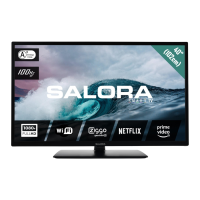
Technical details and energy efficiency ratings of the TV.
 General
| Screen Size | 40 inches |
|---|---|
| Display Type | LED |
| Smart TV | No |
| HDMI Ports | 2 |
| USB Ports | 2 |
| Wi-Fi | No |
| Bluetooth | No |
| Refresh Rate | 60 Hz |
| Resolution | 1920 x 1080 |
| Tuner | Analog, Digital |
| Operating System | Not applicable |

 To Next Page