EasyManua.ls Logo

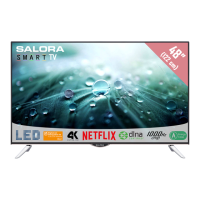
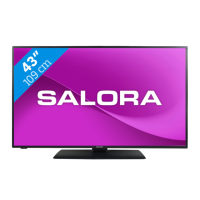
Salora 48FSB5002 - User Manual

Salora 48FSB5002
132 pages
Go to English
Print Icon
To Next Page IconTo Next Page
Loading...
48FSB5002
OPERATING INSTRUCTIONS
MODE D'EMPLOI
GEBRUIKSAANWIJZING
COLOUR TELEVISION WITH REMOTE CONTROL
TELEVISEUR COULEUR A TELECOMMANDE
KLEURENTELEVISIE MET AFSTANDSBEDIENING
BEDIENUNGSANLEITUNG
FARBFERNSEHGERÄT MIT FERNBEDIENUNG

Table of Contents

Question and Answer IconNeed help?

Do you have a question about the Salora 48FSB5002 and is the answer not in the manual?

Summary

Safety Information

Product Safety Precautions

Wall Mounting Warnings

Provides essential safety instructions and precautions for mounting the TV on a wall.

TV Operation Basics

Remote Control Guide

Device Connection Ports

Initial TV Setup Procedures

First Time Installation Guide

Guides through initial setup, language selection, and broadcast search.

Programme Recording Features

Recording a Programme

Instructions on how to record TV programmes using a connected USB disk.

Timeshift Recording

Explains how to pause live TV and record it for later viewing.

Media Browser and Smart Features

Media Browser Menu Usage

Navigating and using the Media Browser for files on USB devices.

System Picture Menu Settings

Installation and Network Configuration

Network;Internet Settings

Configuring wired and wireless network connections for the TV.

General TV Operation

Electronic Programme Guide (EPG)

Accessing and navigating the TV guide for broadcast schedules.

Advanced TV Services

EPG Features and Options

Details on EPG layouts, event options, and recording/timing features.

Troubleshooting and Problem Solving

Display Modes and Signal Compatibility

AV and HDMI Signal Compatibility

Details compatibility of various signals across AV and HDMI inputs.

USB Media Support: Video and Picture Files

Supported Video File Formats

Lists video file formats, codecs, resolutions, and bit rates supported by USB.

USB Media Support: Audio Files

Supported Audio File Formats

Lists audio file formats, codecs, bit rates, and sample rates supported by USB.

Network Connectivity Setup

Wired Network Connection

Instructions for connecting the TV to a wired network via Ethernet.

Wireless Network Connection

Steps to connect the TV to a wireless network using a USB dongle.

Wireless Network Configuration and Troubleshooting

Network Troubleshooting Guide

Solutions for common issues like wireless network not available or slow connection.

Internet Portal Functionality

Internet Browser Functionality

Smart Center Application Guide

Salora 48FSB5002 Specifications

General IconGeneral
Screen Size48 inches
Smart TVNo
Display TechnologyLED
HDMI Ports2
USB Ports1
Refresh Rate60 Hz
Display Resolution1920 x 1080 pixels
Sound Output20 W

Related product manuals