Need help?
Do you have a question about the Salora 48UHL9102CS and is the answer not in the manual?
Instructions on navigating menus and controlling the TV using the remote.
Initial setup process including language, country, and channel search.
How to connect USB devices and play media files.
Settings for display language, PIN, content restrictions, and sleep timers.
Configuration for wired and wireless network connections.
Automatic, manual, and network channel scans, plus analogue fine-tuning.
Setting up locks for menus, channels, and maturity levels.
Viewing TV schedules, program details, and filtering by genre.
Steps for connecting the TV to a wired network via LAN.
Settings for network type, speed test, and IP/DNS configuration.
Steps for connecting the TV to a wireless network using a USB dongle.
Tips for resolving Wi-Fi connectivity, speed, and disruption problems.
Troubleshooting internet access, MAC address, firewall, and media sharing.
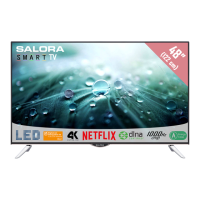
This document serves as an operating manual for a Salora 48UHL9102CS color television with remote control, providing instructions in Dutch, German, English, and French. It outlines the TV's functions, features, and maintenance guidelines to ensure correct and safe operation.
The Salora 48UHL9102CS is a color television designed for home entertainment. Its primary function is to display visual content from various sources, including broadcast TV, external devices connected via HDMI or USB, and internet-based services. The TV supports Ultra HD (4K) resolution, offering a high-definition viewing experience. It integrates digital terrestrial/cable TV (DVB-T-T2/C) and includes an OSD (On-Screen Display) menu system for easy navigation and control. The television also features a stereo sound system, teletext services, and a headphone connection for private listening.
A key feature is its smart TV capabilities, allowing access to an internet portal and a web browser. This enables users to stream content, browse websites, and utilize applications like Netflix (if supported). The TV also supports Audio Video Sharing, which allows users to share and play media files from smartphones or tablet PCs on the television screen. For enhanced connectivity, it includes Ethernet (LAN) for internet access and supports Wi-Fi via a USB dongle (not supplied).
The TV is designed with energy-saving features, allowing users to adjust power consumption through various settings like Minimum, Medium, Maximum, Auto, or Screen Off. It also includes an automatic power-down function after a period of inactivity to further conserve energy.
Basic Operation: To switch on the TV, connect it to a 220-240V AC, 50 Hz power socket. From standby, press the Standby button, Programme +/- buttons, or any numeric button on the remote control. The TV can be switched off by pressing the Standby button on either the remote or the TV itself, which puts it into standby mode. For complete power down, unplug the power cord from the mains socket.
First Time Installation: Upon first use, the TV guides you through an installation process. You'll select your preferred language and then set preferences using directional buttons. This includes selecting the broadcast type (Aerial, Cable, or Analogue) and configuring network/internet settings. The TV will then search for available broadcasts and store them. You can also activate "Store Mode" for retail display purposes, though "Home Mode" is recommended for home use.
Channel Management: The TV sorts all stored stations in a Channel List. You can edit this list, set favorites, or filter active stations. Press the OK/TV button to open the Channel List. The Green button opens the Edit Channel List menu for advanced changes. To create favorite lists, select desired channels and use the Add/Remove Favourites option. The Filter function allows permanent filtering of channels based on preferences.
Parental Settings: The Parental Settings menu (System>Options>Parental) allows you to restrict viewing of certain programs, channels, and menu access. A PIN number is required to access these settings, where you can adjust Menu Lock, Maturity Lock, Child Lock, and Internet Lock.
Electronic Programme Guide (EPG): Press the Epg button to view broadcast schedules. The EPG offers three layouts: Timeline Schedule, List Schedule, and Now/Next Schedule. You can zoom, filter by genre, view event details, navigate by day, and search for programs.
Teletext Services: Press the Text button to access teletext. Pressing it again activates mix mode, superimposing teletext over the broadcast picture. Digital teletext is also supported, navigable with colored and cursor buttons.
Media Playback via USB: Connect 2.5” or 3.5” external hard disk drives or USB memory sticks to the TV's USB inputs to play photo, music, and movie files. The Media Browser menu allows you to select file types and manage playback preferences, including loop and shuffle modes.
FollowMe TV (if available): This feature allows you to stream the current broadcast from your smart TV to a mobile device using the Smart Center application. It supports Mirror Mode for streaming content from various TV sources and the Media Browser.
CEC and CEC RC Passthrough: This function enables control of CEC-enabled devices connected via HDMI ports using the TV's remote control. The CEC option must be enabled in System>Options>More. The TV also supports ARC (Audio Return Channel) for audio output to an external sound system.
E-Manual: Instructions for the TV's features are available in the E-Manual, accessible via the Info button or Quick Menu.
Internet Portal and Browser: A broadband internet connection is required. Press the Internet button on the remote to open the portal page, displaying icons for available applications and services. The internet browser allows web browsing, with features like Speed Dial for quick access to favorite websites, history, tabs, and bookmarks. USB mice can be used for easier navigation.
HbbTV System: HbbTV (Hybrid Broadcast Broadband TV) combines broadcast and broadband services, offering access to catch-up TV, video-on-demand, EPG, and other multimedia applications. HbbTV applications are signaled by broadcasters and can be launched via a red button icon on the remote.
Smart Center: The Smart Center application for mobile devices (Android or iOS) allows you to control your TV, stream content (FollowMe TV), share media (Media Share), and access the internet portal (Portal Launcher). It also supports voice recognition for commands and a keyboard page for text input.
Safety Information: The manual emphasizes safety precautions, including warnings about electric shock, proper ventilation (leaving at least 10 cm free space around the set), and stable placement. It advises against operating the TV in extreme ambient conditions or exposing it to liquids, direct sunlight, or intense heat sources. Before cleaning, unplug the TV and use a soft, dry cloth.
Battery Safety: For the remote control, use two AAA batteries, ensuring correct polarity. Do not mix old and new batteries. A specific warning is given for coin/button cell batteries (if applicable to accessories), highlighting the chemical burn hazard if swallowed.
Software Upgrade: The TV supports automatic firmware updates via broadcast signal or the internet. Users can manually check for upgrades through the System>Options>Software upgrade menu. The TV can also search for and install upgrades automatically at 3:00 AM if connected to an aerial signal or the internet. It is crucial not to unplug the power cord during the reboot process after an upgrade.
Troubleshooting & Tips: The manual provides a troubleshooting section for common issues:
Environmental Information: The TV is designed to be environment-friendly. Users are encouraged to reduce energy consumption by utilizing the Energy Saving settings. When not in use, switching off or disconnecting the TV from the mains plug is recommended. The manual also includes information for users on the disposal of old equipment and batteries, emphasizing recycling facilities and systems in the European Union.
 General
| Screen Size | 48 inches |
|---|---|
| Resolution | 3840 x 2160 |
| Display Type | LED |
| Smart TV | Yes |
| HDMI Ports | 3 |
| USB Ports | 2 |
| Audio Output | 20W |
| Operating System | Android |
| Built-in Wi-Fi | Yes |
| Bluetooth | Yes |
| Refresh Rate | 60 Hz |

 To Next Page