Wi-Fi
In Video/Photo/Slow Motion mode: Hold the Wi-Fi button to go to the Wi-Fi mode. The
camera will enter the Wi-Fi interface and will display the Wi-Fi name: “x10000_XXXX”, the
Wi-Fi password is: “66666666”. Find the name of the corresponding Wi-Fi connection on
your mobile phone, establish the Wi-Fi connection.
APP
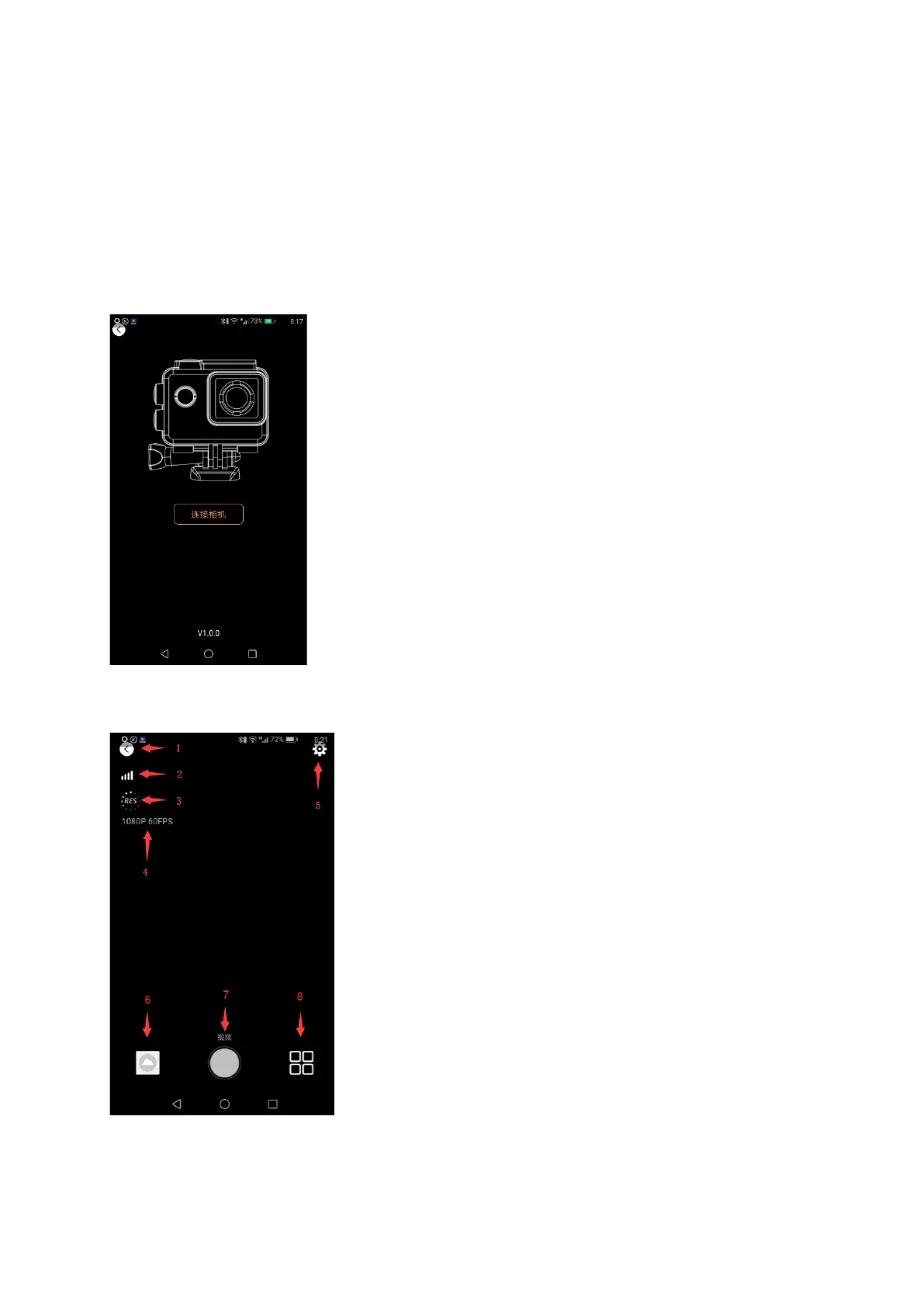
After connecting your mobile phone to your camera, the APP will open and “connect the
camera” will appear to enter the APP operation interface.
APP operation interface


 To Next Page