has been completed. You cannot take a picture when the camera is in process of saving the
pictures)
Automatic
Photo mode, settings menu, set the automatic photographing parameters (3s, 5s, 10s, 20s),
the return to the Photo mode. The automatic photographing sign will appear at the bottom
left of the screen. Press the Shutter button to start the countdown. When the countdown
has been completed and the picture has been taken, the next countdown will start
automatically. Press the Shutter button to stop the automatic function again.
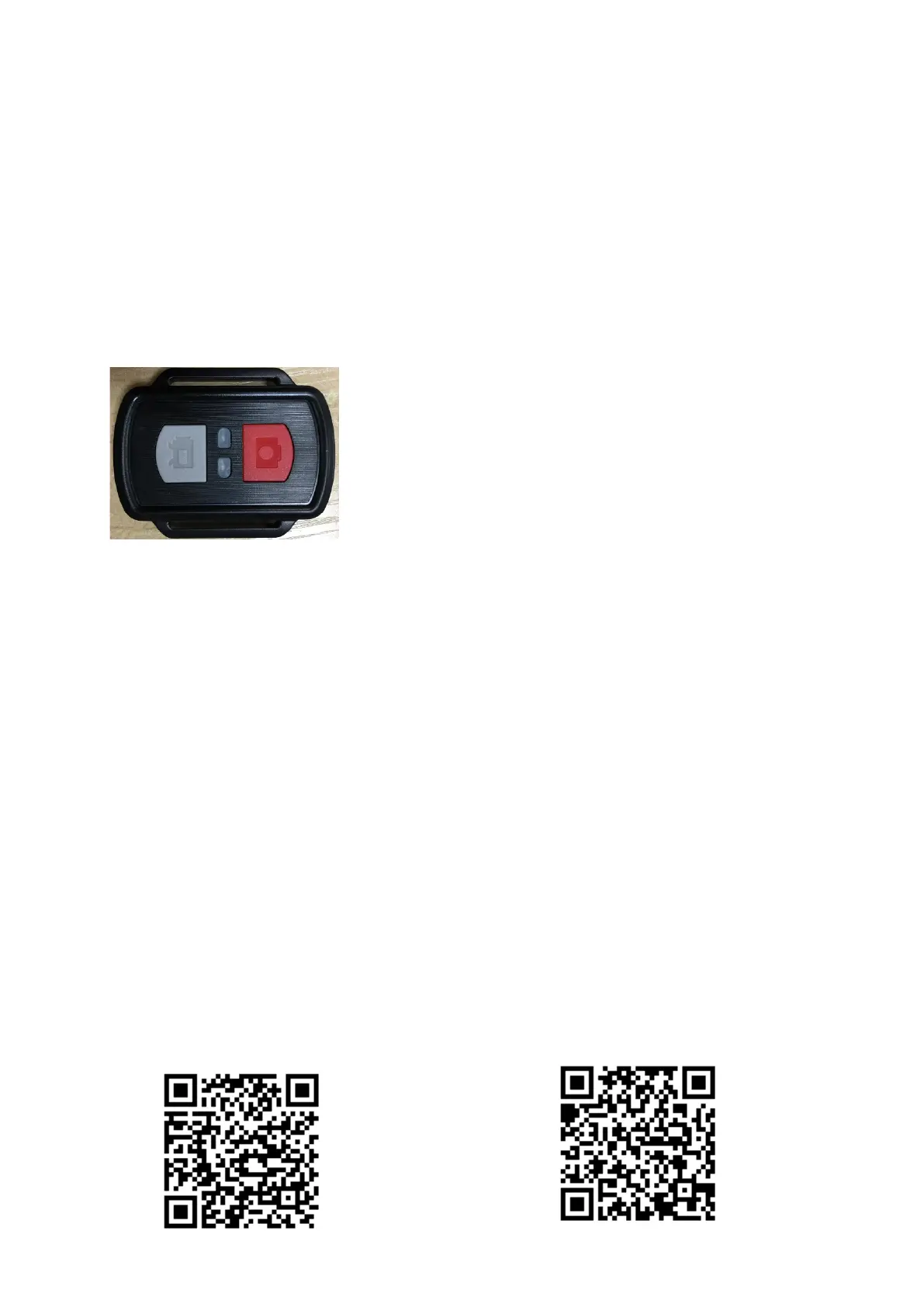
5. Remote control
1. Recording button
1.1 Press this button to start recording while the camera is switched on. Press it
again to stop recording.
1.2 Hold this button for about 5 seconds to switch the power off. If the Remote
Control function, in the Settings menu, is turned on hold this button for about 5 seconds
and turn it on again. (When you have replaced the battery, the Remote Power On
function cannot be used. You first need to switch on the camera manually before you are
able to use the remote control again.)
2. Photo button
1.1 Press this button briefly to take pictures in operating state.
1.2 After you have switched on the camera, hold this button for 5 seconds to
switch between the main and the side screen.
6. Wi-Fi- and APP
Download the APP
For android please search “x-sport Pro”on the Google APP store to download and install
the application. For iOS please search for “x-sport Pro”to download and install the
application in the Apple’s App. Store. Or scan the QR codes below by using you mobile
phone.


 To Next Page