OSD Menu
9
OSD Menu
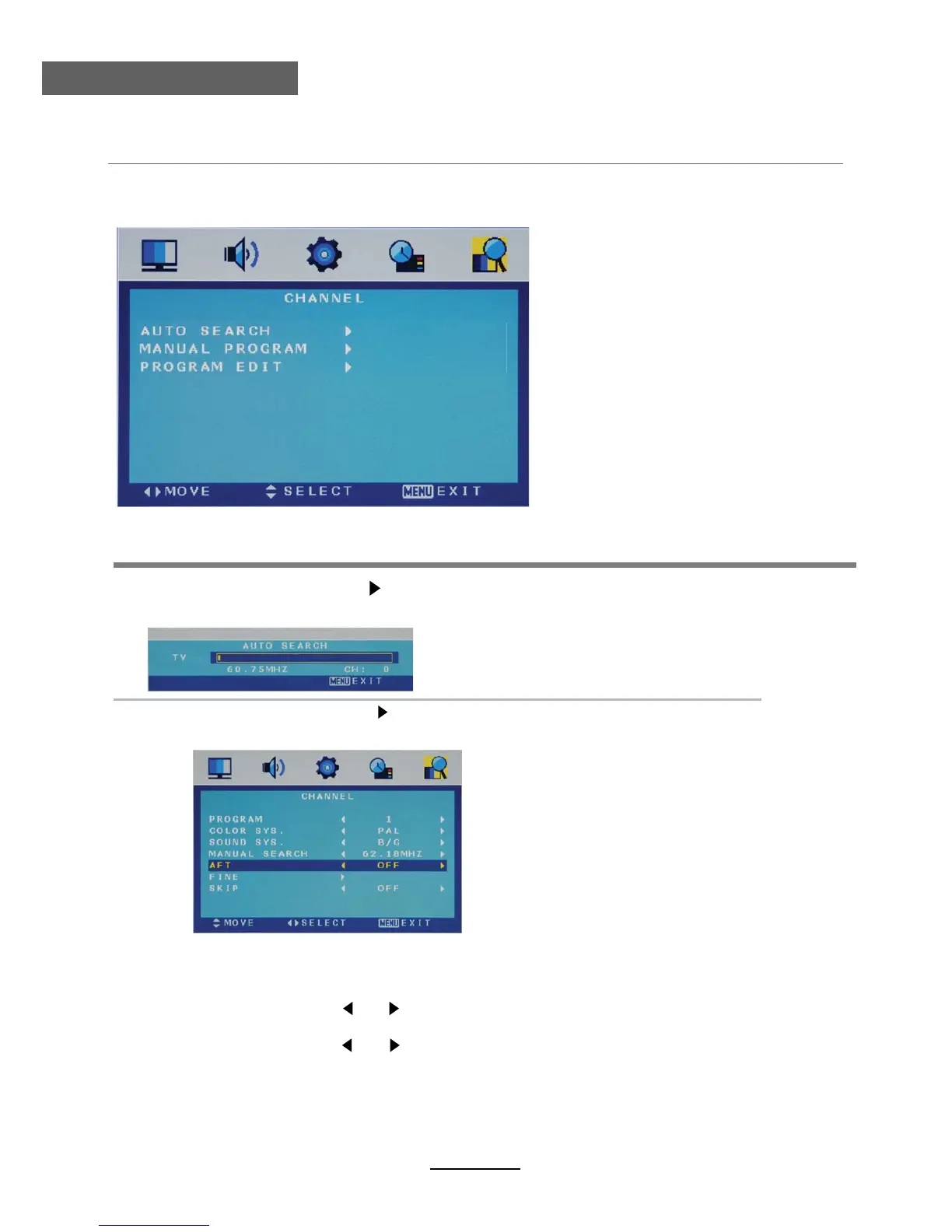
1. CHANNEL menu
Description
Manual Program Press button to enter the submenu.
Auto Search Press button to start auto search.
Program Select the program you want to edit.
Color Sys. Select the color system for the program you want to edit.
Sound Sys. Select the sound system for the program you want to edit.
Manual Search Use and button to manual search.
AFT Turn on/off the Auto Frequency Tuning function for Manual Search.
Fine Use and button to fine-tune.
Skip Select “Yes” to skip the program when you scan the programs by
CH+/-.
Manual Program menu for TV
Auto Search menu for TV
TV



 To Next Page