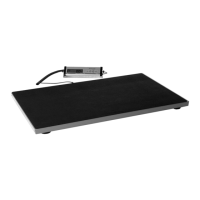
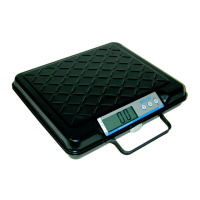
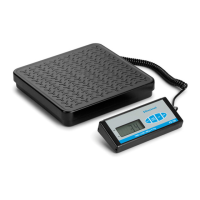
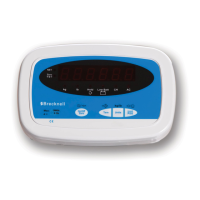
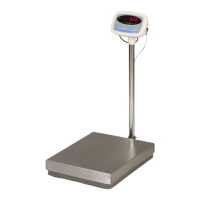
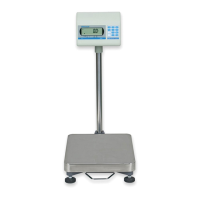
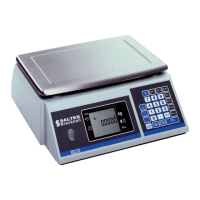
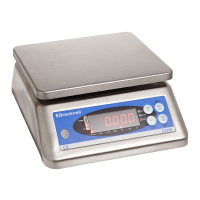
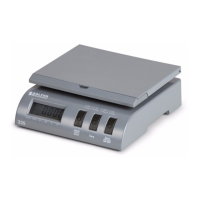
The Salter Brecknell Model 335 Postal Scale is a versatile and affordable weighing solution designed for both office and home use, ideal for accurately weighing letters and small packages. This scale is equipped with a USB interface, which not only provides power but also enables communication with a computer, facilitating integration with third-party USPS software for enhanced functionality.
Function Description
The primary function of the Model 335 Postal Scale is to provide precise weight measurements for various items. It operates within stable environments, where fluctuations in temperature, humidity, and vibration are minimized to ensure accuracy. The scale features a dual-range capacity, allowing it to handle a wide array of items, from light letters to heavier packages, with appropriate resolution for each range.
A key feature is the weight hold function. This is particularly useful when weighing items that are too large and might obstruct the display, preventing the user from seeing the weight. With this function, the scale can lock a stable weight on the display even after the item has been removed, ensuring that the measurement can be read clearly.
The scale also includes a units switching function, allowing users to easily toggle between different units of measure, such as pounds and ounces (lb/oz), kilograms (kg), or grams (g), to suit specific needs or regional requirements.
For convenience, the Model 335 is designed with a flip tray. This tray serves multiple purposes: it can be used to weigh large envelopes more easily or to hold tubes and other irregularly shaped packages securely in place on the weight tray during measurement.
The scale is powered either by a USB connection to a computer or by a 9-volt battery, offering flexibility in its placement and use. To conserve battery life, the scale incorporates an auto power-off feature, which activates after a period of inactivity. The blue backlit display enhances readability, especially in low-light conditions, and also turns off after a few seconds of no use to further save battery power.
Usage Features
Installation:
To install the scale, it should be placed on a stable, level surface, free from air currents, rapid temperature changes, and vibrations, which could otherwise affect weighing accuracy. The weight platter must be carefully installed on the mounting posts, ensuring it does not touch any adjacent surfaces. All feet of the scale should be in contact with the counter for stability.
Power can be supplied by plugging the USB cable into the back of the scale and a computer's USB port. Alternatively, a 9-volt battery can be used. After powering on, it is recommended to let the unit warm up for about five minutes to allow the electronics and load cell to reach room temperature, ensuring optimal performance. A known weight can then be placed on the scale to test its accuracy. If the scale is not weighing accurately upon installation, calibration is recommended.
Battery Management:
The Model 335 can operate on a 9-volt battery with an expected life of 60 hours of normal use. When the battery is low, the display will show "Lo. B" before the scale automatically turns off after approximately one minute. To change the battery, the cover on the bottom of the scale is removed, the old battery is replaced with a new one, ensuring correct positive (+) and negative (-) orientation, and the cover is then replaced.
Key Functions:
The scale features several key functions controlled by dedicated buttons:
- Hold / Unit Key: A quick press activates the Hold mode. An arrow above "Hold" flashes until the weight is stable, then a beep sounds, and the arrow remains lit. The weight is held on the display after the item is removed until the key is pressed again. Pressing and holding this key for 3 seconds allows switching between units of measure (kg, g, lb, oz).
- Zero / ON / OFF Key: When the scale is off and no weight is on it, a quick press powers it on. On power-up, the scale can zero up to 10% of its capacity. To turn off the scale, press and hold this key for more than 3 seconds. To zero the scale during operation, press and hold this key for less than 2 seconds to return the display to zero weight, applicable for up to 2% of capacity.
- Tare Key: A quick press performs the Tare function. An arrow above "Tare" lights up on the display. This removes the weight of a container from the display, returning it to zero. After removing the tare container, pressing the key again returns the scale to normal weighing.
Standard Weighing:
To perform standard weighing, turn on the scale using the Zero / ON / OFF button. The scale will beep and perform a test sequence, then display zero weight. If not, press the Zero / ON / OFF key again. Place the item on the weight platter, and the weight will be displayed, stabilizing within approximately two seconds.
Changing Unit of Measure:
Press and hold the Hold / Unit key until a beep is heard, and the annunciator arrow moves to the next unit. Continuing to hold the key cycles through the units (lb/oz, kg, g) every 2-3 seconds. The selected unit is retained even after power off.
Tare Weighing:
For net weight measurements, place an empty container on the scale and quick press the Tare key. The display will show "0.000" and the "Tare" arrow will light up. Then, place items into the container to determine their net weight. After tare weighing, removing the container will result in a negative weight display; quick press the Tare key to return to zero gross weight.
Weight Hold Function:
This feature is useful for large items that obscure the display. With the scale on and at zero, quick press the Hold / Unit key; an arrow above "HOLD" will light up. Place the item on the scale, wait two seconds for stabilization (indicated by a beep), and the weight will be held on the display after the item is removed. Press the Hold / Unit key again to exit this mode.
Auto Power-Off:
To save battery and electricity, the scale automatically powers off after 5 minutes of no use or no weight change. If connected via USB, this feature can be turned off by pressing and holding the Tare key for 5 seconds until "AU.oFF" is displayed. To re-enable it, press and hold the Tare key for 5 seconds until "AU.on" is displayed.
USB Interface:
The Model 335 includes a USB virtual COM port interface compatible with Windows 98, XP, and Vista. Users need to download and install the 335 USB driver from the Salter Brecknell website. An Active X program is also available for customized scale interfaces. The scale is compatible with United States Postal Service (USPS) programs. After driver installation, the PC will recognize the scale, and users should note the COM port setting (USB-SERIAL CH340) from the Windows Control Panel. The COM port should be configured for 2400 Baud, 8 data bits, no parity, and 2 stop bits, without using DTR and CTR. The scale continuously sends weight data in a specific format (STX X X X # # # # # CR) three times per second.
Maintenance Features
Cleaning and Care:
The scale should be cleaned with a damp cloth and mild detergent. It is important to handle the scale with care, as precision scales contain sensitive load cells. Dropping the unit or placing weights exceeding its rated capacity can damage the load cell, affecting accuracy and functionality.
Troubleshooting:
The manual provides a comprehensive troubleshooting guide for common issues:
- Cannot turn on: Check for low batteries or incorrect battery installation.
- Poor weighing accuracy: This often indicates improper calibration, an unstable environment, or that the scale was not zeroed before use. A tare function might also be active, or the incorrect unit of measure might be selected.
- "CAL. Er" displayed: Suggests an unstable environment or incorrect calibration weight used.
- "Err2" displayed: Indicates an overload zero error, meaning excess weight was applied upon zeroing or power-on, or a normal calibration condition. It could also signify a damaged load cell.
- "Err1" displayed: Points to an underload zero error.
- "-----" displayed: Indicates an overload condition.
For most accuracy issues, recalibration is the recommended remedy.
Calibration:
Calibration is crucial for maintaining accurate weighing. The Model 335 can be calibrated using either LB or KG weights. Before attempting calibration, any Windows program using the Model 335 must be closed.
Calibrating with LB weights:
- Ensure the scale is off and empty.
- Press and hold the Tare key, then simultaneously press the Hold / Unit and Zero / ON / OFF keys until "15.00" is displayed.
- Press the Hold / Unit key to initiate LB weight calibration; "35.0.0" will be displayed, indicating the required test weight.
- Press the Tare key to accept; the scale will display internal counts (9000—11000).
- Press the Tare key again to perform zero calibration; "0.0.0" will briefly display, followed by internal counts.
- Place a 35 lb weight on the scale and press the Tare key; "35.0.0" will briefly display, then the scale returns to normal weighing mode, and "Err 2" may appear.
- Remove the weight and press the Zero / ON / OFF key; the scale will show "0.0.0" weight.
Calibrating with KG weights:
- Ensure the scale is off and empty.
- Press and hold the Tare key, then simultaneously press the Hold / Unit and Zero / ON / OFF keys until "15.00" is displayed.
- Press the Tare key to accept; the scale will display internal counts (9000—11000).
- Press the Tare key again to perform zero calibration; "0.00" will briefly display, followed by internal counts.
- Place a 15 kg weight on the scale and press the Tare key; "15.00" will briefly display, then the scale returns to normal weighing mode, and "Err 2" may appear.
- Remove the weight and press the Zero / ON / OFF key; the scale will show "0.00" weight.
If "CAL.Er" appears during calibration, it indicates an error, and the steps should be repeated. Persistent "CAL.Er" may suggest a damaged load cell or electronics. It is critical to use accurate and correct weights for calibration, as inaccurate weights can lead to incorrect measurements.


 To Next Page
 General