Door Lock
The keys are located inside the plastic bag that contains the Instruction Booklet.
Insert the key into the lock and turn it counterclockwise to unlock the door.
To lock the door do the reverse operation making sure the metal pin is engaged
completely. Remove the key and place it in a secure place for safekeeping.
CARE AND CLEANING
Replacing the Light Bulb
NOTE: All parts removed must be saved to do the replacement of the light bulb.
Before removing the light bulb, either unplug the appliance or disconnect
the electricity leading into the appliance at the main power supply. Failure
to do so could result in electrical shock or personal injury.
1. Press the light switch to the “OFF” position.
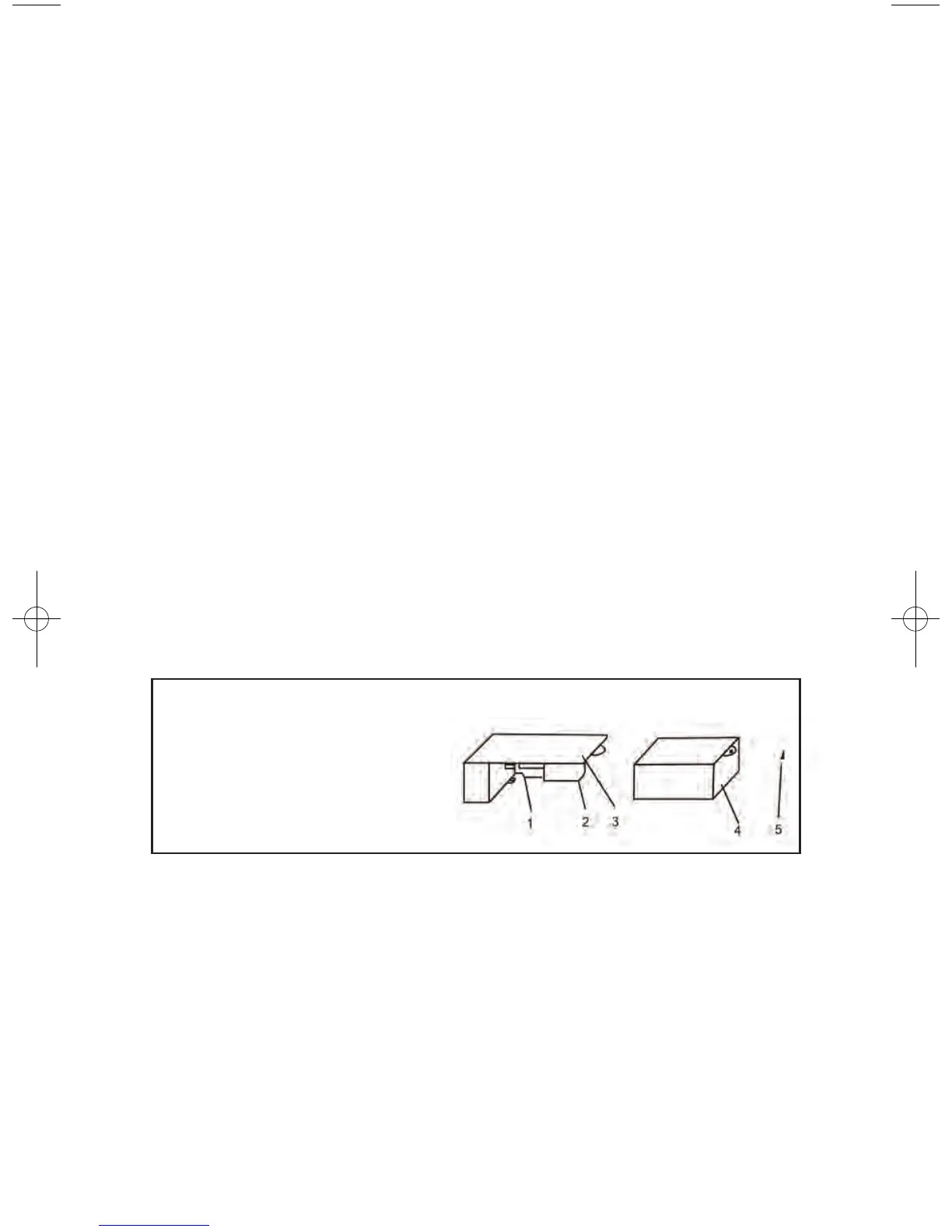
2. Remove the screw “5”.
3. Remove the light bulb cover “4” by pulling the bottom end of the light
bulb cover gently.
3. Unscrew the bulb “2”.
4. Replace with a 10-watt bulb that is the same shape and size.
5. Replace the light bulb cover “4” and tighten screw “5”.
1 – Bulb Holder
2 – Bulb
3 – Bulb Holder Case
4 – Bulb Cover
5 – Screw
Cleaning
1. Unplug the appliance, and remove shelves.
2. Wash the inside surfaces with a warm water and baking soda solution.
The solution should be about 2 tablespoons of baking soda to a quart of water.
3. Wash the shelves with a mild detergent solution. The outside of the appliance
should be cleaned with mild detergent and warm water.
4. Squeeze excess water out of the sponge or cloth before cleaning the area
of the controls, or any electrical parts.
8


 To Next Page