a
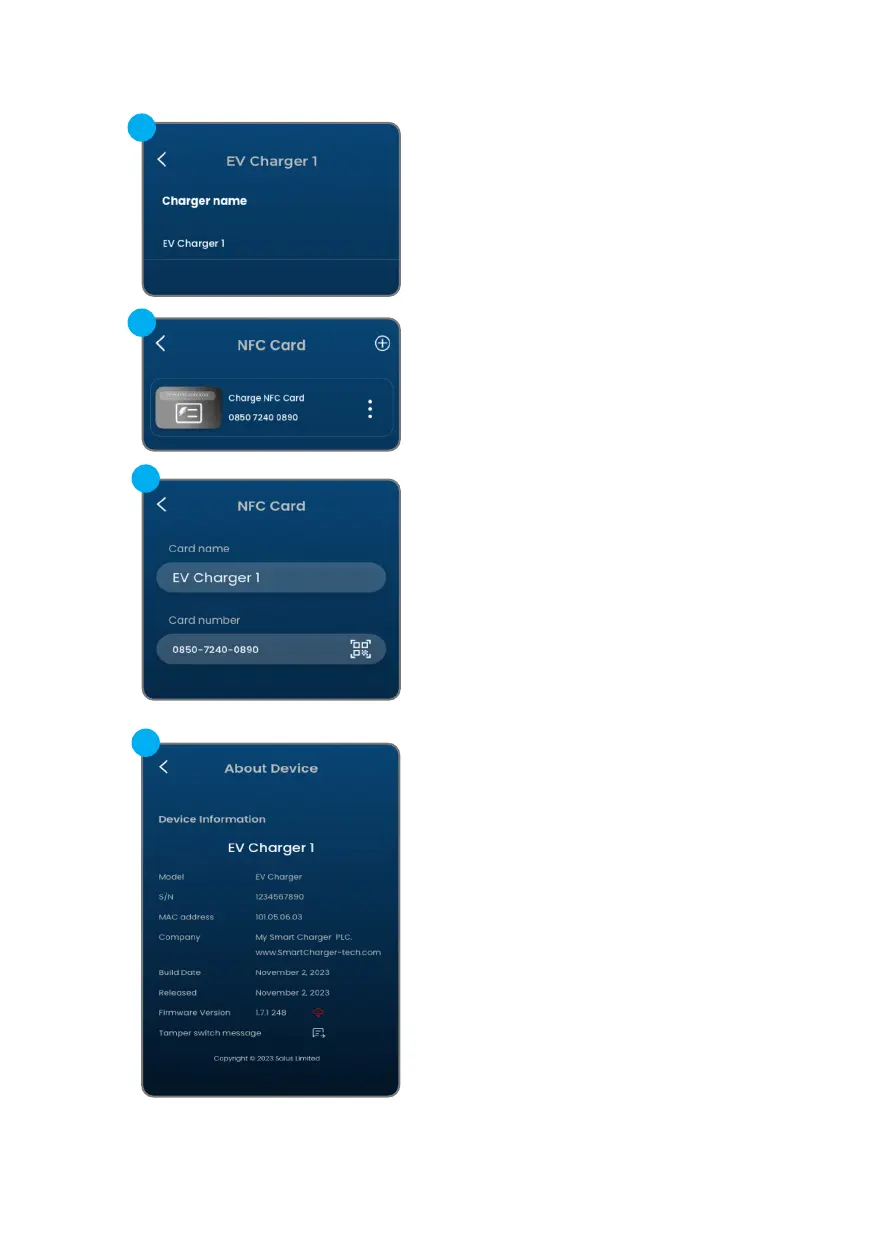
Here the name of the EV charger
can be changed.
b.1
When Plug&Charge is disabled,
authorization is required before
charging, either by using the App or
by swipe NFC card on the EV charger.
To manage which NFC card can initiate
charging, this screen allows adding
new NFC card (by scan QR code or in-
put card number) to the EV charger,
and can edit/remove afterwards.
*Each EV charger has its own NFC card
list, same card can be added to dierent
EV chargers.
b.2
In-App Settings for EV Charger 25
This screen provides the EV charger
information.
It also shows current rmware version
and if there is new rmware version
available for installation.
c.1


 To Next Page