USER INTERFACE AND CONTROLS
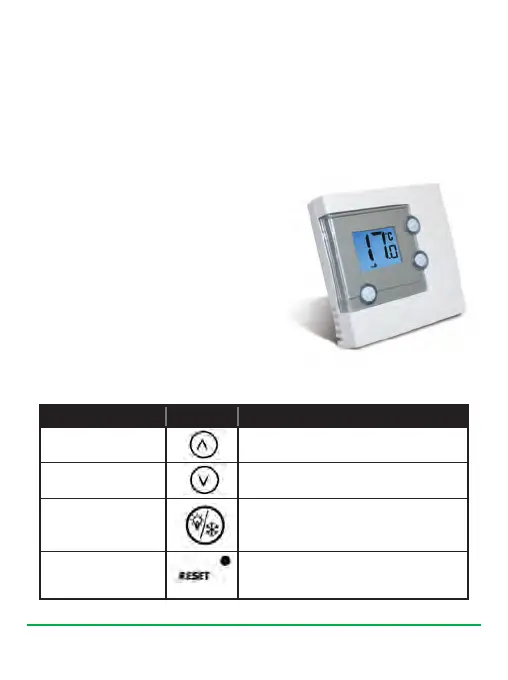
The status and operation of the RT305TX
is clearly shown on the large backlit Liquid
Crystal Display (LCD). This display allows
the user a clear indication of the current
room temperature, and the status of the
heating system. There are few user
controls for the RT305TX, making this
thermostat very easy to operate. These
controls are shown below, along with a
description of each of their functions.
USER CONTROL FUNCTION SUMMARY
Key / Operation Symbol Functions
UP key Increases the selected setting
DOWN key Decreases the selected setting
BACKLIGHT / Manually turns on the LCD backlight or
FROST key hold for 3s to activate/deactivate frost
protection, or >3s to enter sync mode
RESET button Resets the programmable thermostat
to default (original factory) settings
RT305TX INSTRUCTION MANUAL
6
After Power on, the thermostat will operate in Normal mode (Normal mode
is when the thermostat is displaying the room temperature):
•
The set point temperature is reset to the default setting
•
The room temperature display is updated within 5 seconds
•
The control process starts
Salus RT305TX Manual 007_89 07/11/2012 14:39 Page 6
Downloaded from ManualsNet.com search engine


 To Next Page