SUN_IS_ electrical_installation_v5.1_06092021
31
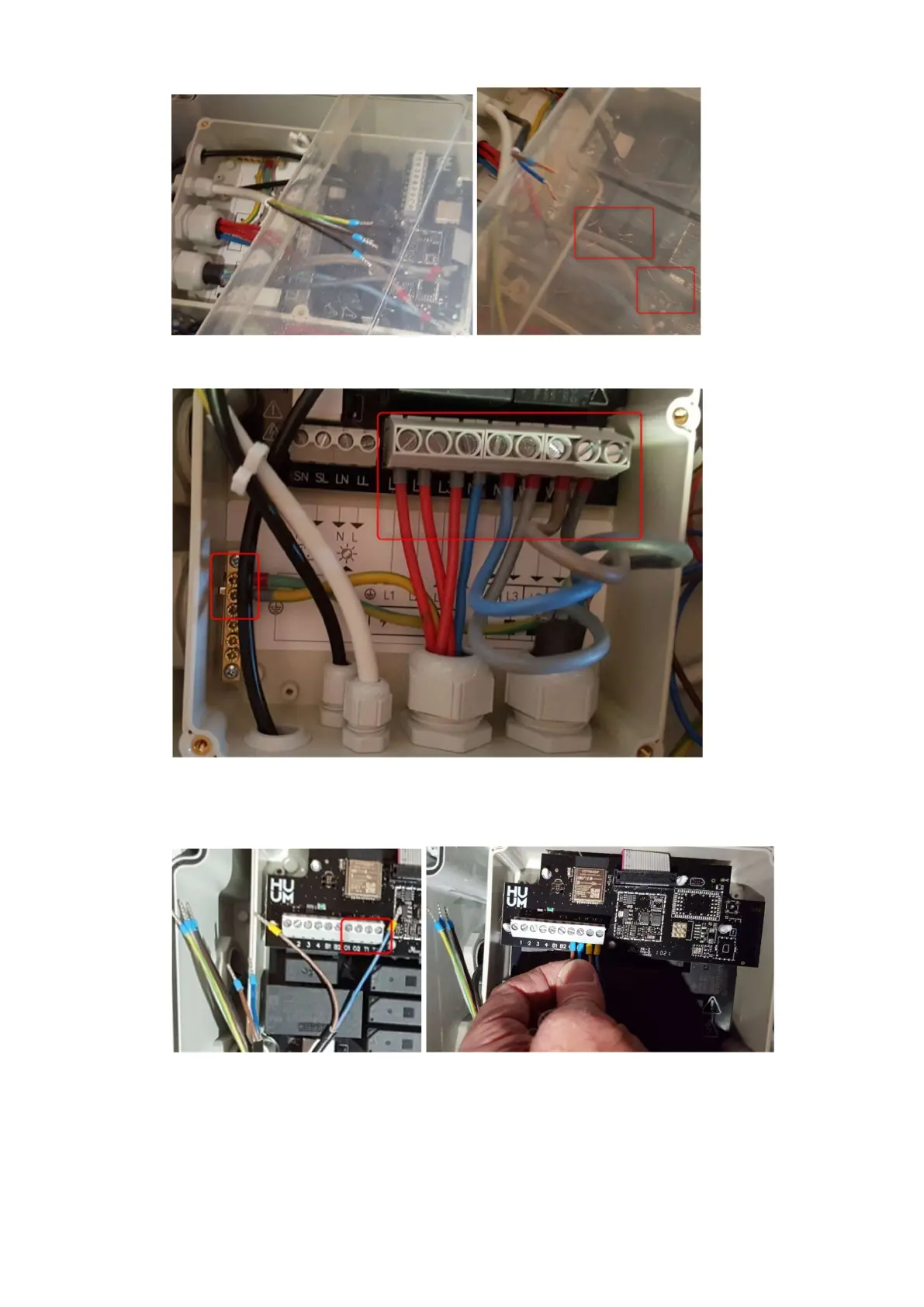
6. Connect the power and earth wires from the box and wire "5".
7. Connect the temperature sensor wire: T1 and T2 and the door opening wire: O1 and O2
according to the diagram in the photo.
8. Connect the wire to the Wi-Fi controller, according to the diagram in the photo (cable colors):
Connector 1 – brown
Connector 2 – grey
Connector 3 – green-yellow
Connector 4 – black



 To Next Page