258 • Program Mode Sam4POS 6600/4800II Program Manual v2.12
Price Level
The default program provides one price level however, SAM4POS allows you to create as many
different price levels as are necessary for your application. This allows the user to create a matrix of
PLUs and Prices each accessed by price level keys. A product price level sales report is available in
PLU Reporting showing the total quantity and value sold per price and overall per product also a total
for each price.
Note: You will need to create the price level keys in the Function key programming area before you
can assign them in a time schedule.
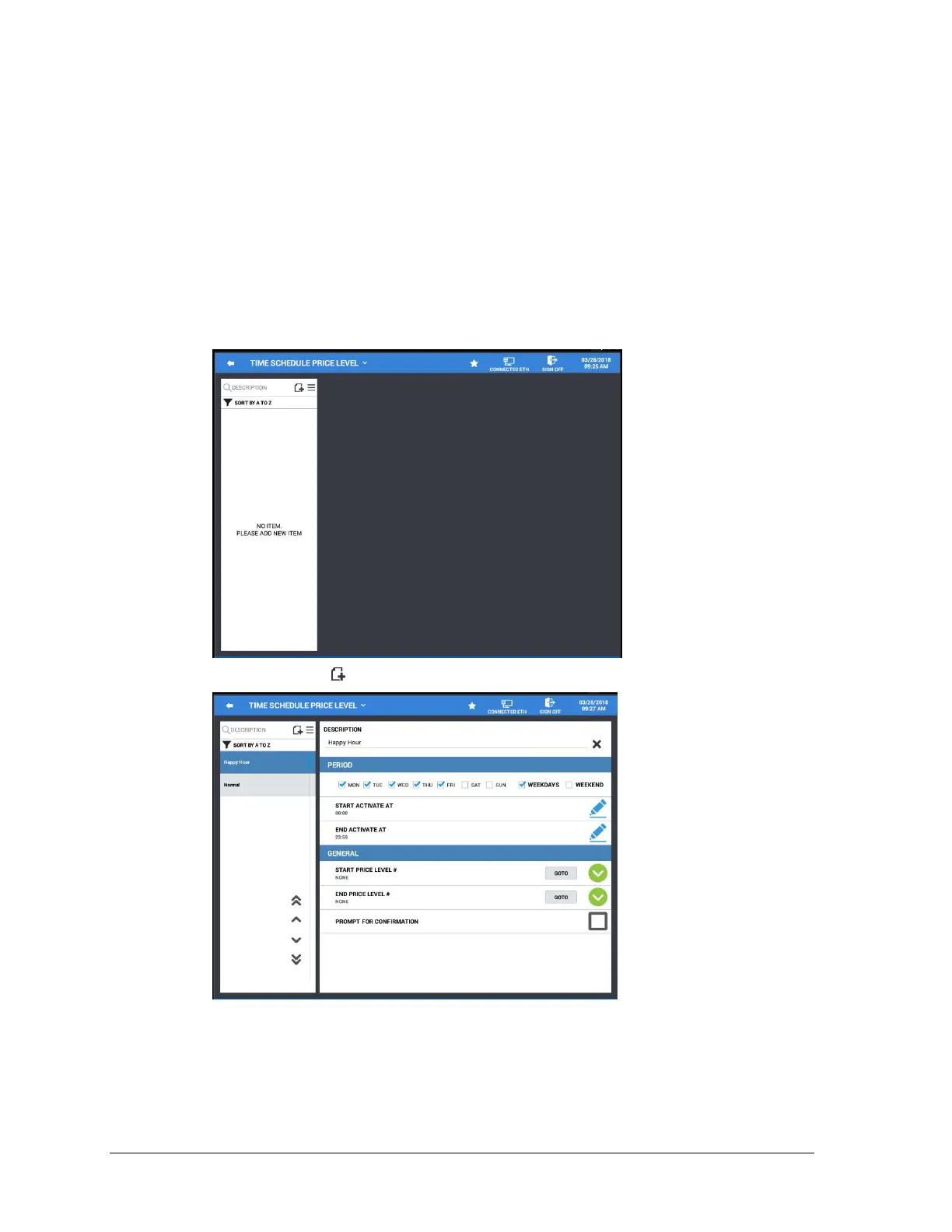
1. From the Time Schedule menu screen, touch Price Level to view/add/edit price levels.
2. Press the add record icon to add a new price level to the list.
3. Define the periods the price level is to be active.



 To Next Page