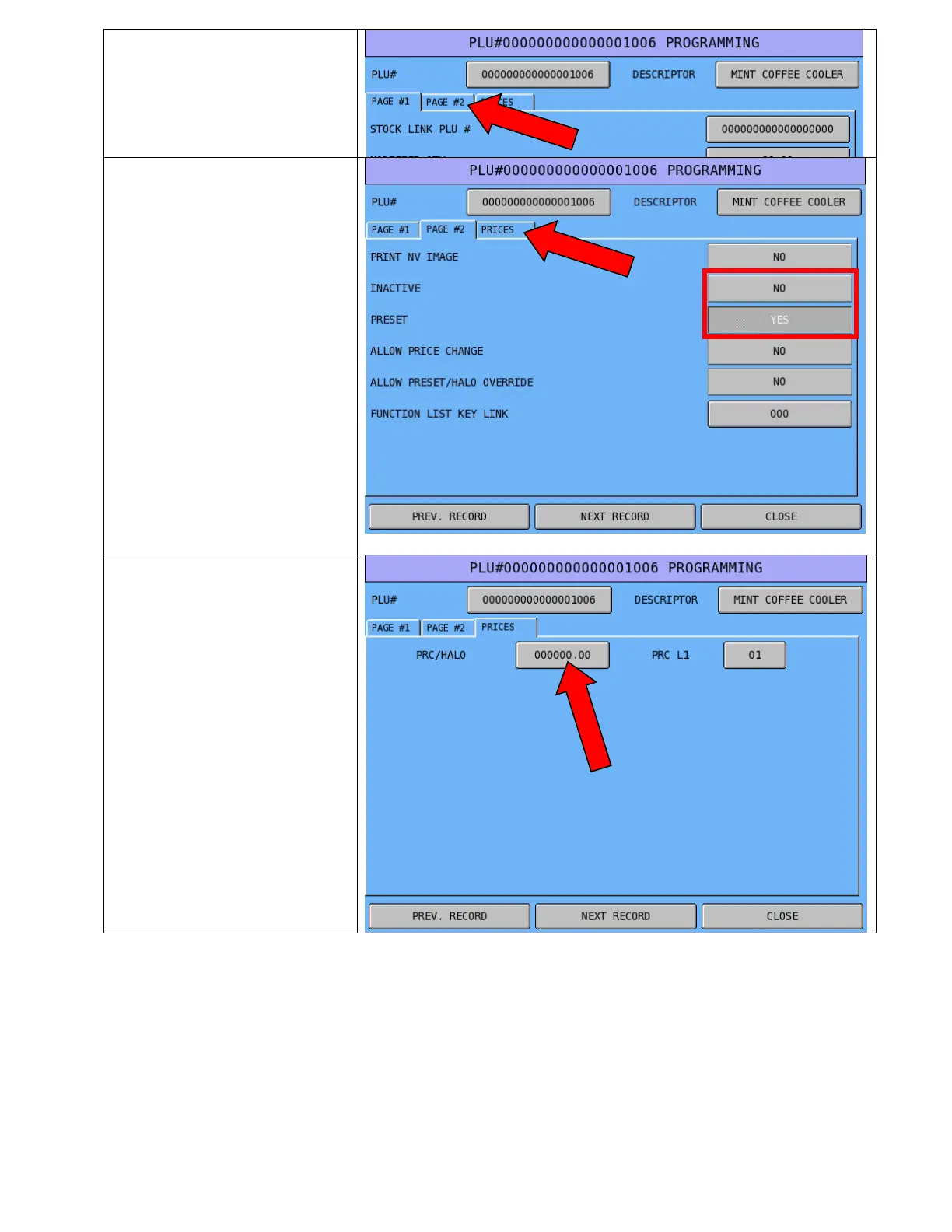
10. Press the PAGE #2 tab
11. If the PLU is to be an open
priced item, change the
PRESET (YES) to a NO.
12. Make sure the INACTIVE
field is set to NO
13. Press the PRICES tab
14. Press the price button, enter
the new price & press OK
15. Press CLOSE to get out of
this item, and the program.



 To Previous Page