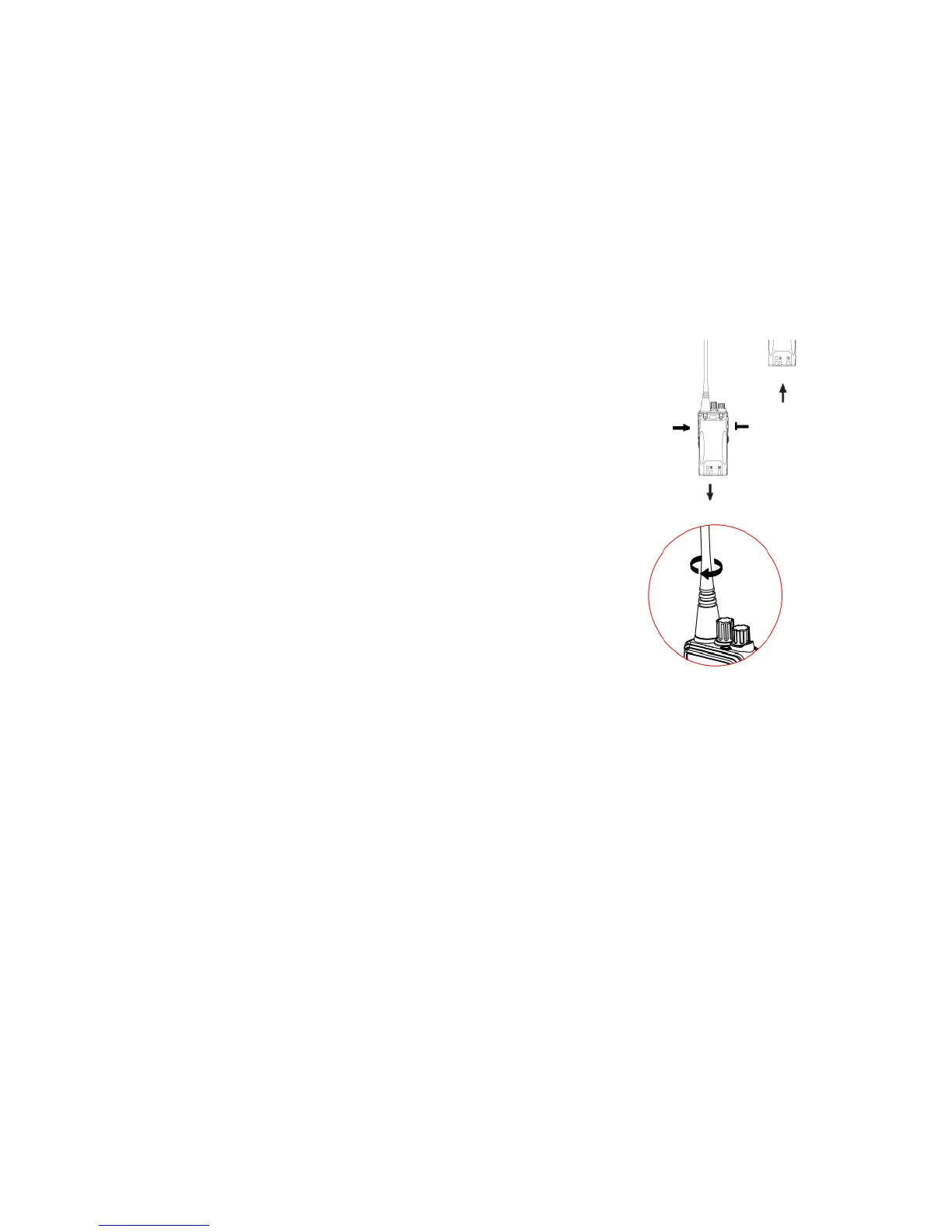
2. Removal of the battery
To remove the battery, please make sure the transceiver is powered off,
and then press and hold to open the belt clip so that the open the belt clip so that the
open the belt clip so that the
battery can get out when the
button has been turned upward.
Pull the battery out according to the
arrow after the battery hook is detached.
Installation /Removal of Antenna
1. Installation of the antenna
⑴ Plu
, as shown.
2. Removal of the antenna
Rotate the antenna counterclockwise to remove it.
Installation /Removal of Belt clip
1.Installation of the belt clip
First remove the battery, and then place the clip on the rear top of the
machine, and fix it with two screws by a cross-screw.
Note: Do not install the belt clip unless the battery is off.
2. Removal of the belt clip
As for the removal of the belt clip, please refer to the installation
steps and loose the screws in counterclockwise.
Installation/Removal of External Earphone or
Microphone
1. Installation of the external earphone or microphone


 To Next Page