4. Hold down the mode button on the LCD screen for 2 seconds , then the display
comes on.
5. Select a level of pedal assist using the up (+) and down (-) arrows on the display.
Pedal assist level 1 is the lowest level of assist and pedal assist level 5 is the highest
level of pedal assist. Level zero will provide no assistance.
6. The right handlebar features a twist throttle. To operate the throttle, ensure the pedal
assist level is set above 0, then twist the throttle back slowly according to how much
speed and acceleration you want to achieve. The farther you twist the throttle from its
resting position, the more power propels the bike forward. When the bike is at a
complete stop, turn the display off. This will ensure that the motor will not activate until
the display is turned back on and the rider is ready to go. (Note: Exercise extreme
caution using the twist throttle. When at a complete stop with the bike turned on,
be careful not to twist the throttle unknowingly or the bike could throw you off
balance and cause serious harm, injury, or death.)
7. To turn on the headlight, press and hold the up arrow on the display for 3 seconds.
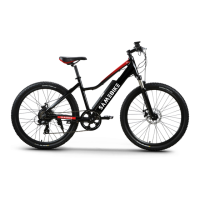
However, the Samebike T7 doesn’t come with front and rear light, because it’s a
mountainbike.
Operating Safety
Before riding the bike for the first time ensure that you have read and understood this
manual. Make sure you understand how to turn on activate the pedal assist and throttle. When
first riding the bike take care to start slowly in a low level of pedal assist. Take your first ride in a
safe area away from cars, other bikers, pedestrians, or other potentially dangerous obstacles.
Only move up pedal assist levels when you feel comfortable and you have ample experience
riding the bike. The higher pedal assist levels will accelerate you to higher speeds more quickly.
Take care when riding the bike at any speed. Failure to adhere to warnings and guidelines
in this manual can lead to serious harm, injury, or death. Damage sustained by the bike
from failing to follow instructions, guidelines, and warnings in this manual is not covered under
warranty.
16


 To Next Page