ENGLISH
ESPAÑOLITALIANO FRANÇAISDEUTSCHE
Plug the supplied power cable into an AC outlet
and turn the Power switch on your D1200 and
satellite speaker(s) to the ON position.
Note: Always make sure that the AC outlet used
with this unit is configured with the correct volt-
age, as indicated on the rear panel of the Auro
loudspeaker.
Connect an XLR cable from the THRU output of the
Auro D1200 to the line input of your active satellite
speaker(s) or power amplifiers.
Connect a line-level signal from your mixer (or other
source) to a LINE INPUT jack on the Auro D1200. If you
are using a single subwoofer with stereo satellite speak-
ers, connect the left and right output of the mixer to the
stereo (Channel A & B) input jacks on the Auro D1200.
Quick Start
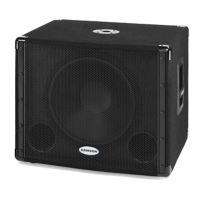
Auro D1200 Active Subwoofer
9



 To Next Page