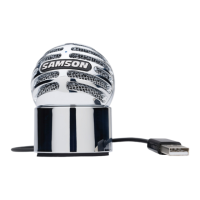
Go Mic Quick Start
You
will
find
a detailed description
of
the
Go
Mic's controls and functions in
the
follow-
ing
sections
of
this manual. However,
if
you
can't wait
to
get
started, you can
follow
this
quick start guide. Before you
get
going
it's
recommended
that
you
follow
the
instruc-
tions
on
installing
the
Go
Mic
with
either
Windows
or
OS
Mac in
the
previous sections
of
this manual. Once you confirm
the
Go
Mic
is
connected
to
your
computer
properly,
it
will be easy
to
start recording. The more you
learn
about
Go Mic,
the
more you'll discover
its versatility and
powerful
features.
There are many ways
to
use
the
microphone,
and
our
quick
start example
is
for
a typical
set-up
for
recording vocals.
Operating
the
Go Mic
------------------------------~
------------------------------~
Just
follow
the
simple steps
below
to
start
~
recording . .
1.
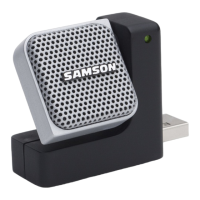
Unfold
the
Go Mic, press
the
clip in and set
~~~~~c:l~~~r:~:~~;}i~;~~~~~~::~T
~l]!liji:lliiiHI·'JIHini~i·hiH~\
the
clip
as
a desk stand. D
2.
Set
the
Go Mic's pattern switch
to
Cardioid
and be sure
to
face
the
front
side,
with
the
Samson logo, towards
the
vocalist.
'~illlllllll••••••••••••
13



 To Next Page